
HP iLO 4 Scripting and Command Line Guide

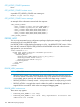
GET_LANGUAGE parameters
None
GET_LANGUAGE runtime errors
None
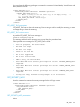
GET_ALL_LANGUAGES
Use this command to read all languages on iLO. Use HPQLOCFG.EXE version 1.00 or later with
this command.
<RIBCL VERSION="2.0">
<LOGIN USER_LOGIN="adminname" PASSWORD="password">
<RIB_INFO MODE="read">
<GET_ALL_LANGUAGES/>
</RIB_INFO>
</LOGIN>
</RIBCL>
GET_ALL_LANGUAGES parameters
None
GET_ALL_LANGUAGES runtime errors
None
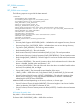
GET_ASSET_TAG
Use this command to get the asset tag. Use HPQLOCFG.EXE version 1.00 or later with this
command.
<RIBCL VERSION="2.0">
<LOGIN USER_LOGIN="adminname" PASSWORD="password">
<SERVER_INFO MODE="read">
<GET_ASSET_TAG/>
</SERVER_INFO>
</LOGIN>
</RIBCL>
GET_ASSET_TAG parameters
None
GET_ASSET_TAG runtime errors
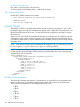
• Problem reading the EV—There was a problem reading the EV. Retry the procedure
later.
• There is no EV by the name given—The EV is not present. One possible cause is
that the EV was never set using SET_ASSET_TAG.
When no tag has been set, GET_ASSET_TAG returns this informational message:
No Asset Tag Information.
SET_ASSET_TAG
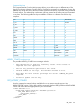
Use this command to set or clear the asset tag. Use HPQLOCFG.EXE version 1.00 or later with
this command.
124 RIBCL XML Scripting Language