
HP iLO 4 Scripting and Command Line Guide

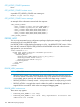
</RIB_INFO>
</LOGIN>
</RIBCL>
SET_ERS_WEB_PROXY parameters
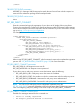
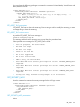
To configure your device to use a web proxy server to access the Internet, enter the following:
• ERS_WEB_PROXY_URL—Web proxy server host name or IP address.
• ERS_WEB_PROXY_PORT—Port number on which to communicate with the web proxy server.
• ERS_WEB_PROXY_USERNAME—Username for web proxy server authentication.
• ERS_WEB_PROXY_PASSWORD—Password for web proxy server authentication.
SET_ERS_WEB_PROXY runtime errors
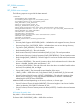
Possible error messages returned for this command are:
• Invalid Proxy Settings
SET_LANGUAGE
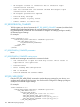
Use this command to set the default language on iLO. Use HPQLOCFG.EXE version 1.00 or later
with this command.
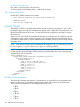
<RIBCL VERSION="2.0">
<LOGIN USER_LOGIN="adminname" PASSWORD="password">
<RIB_INFO MODE="write">
<SET_LANGUAGE LANG_ID="EN"/>
</RIB_INFO>
</LOGIN>
</RIBCL>
SET_LANGUAGE parameters
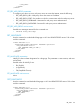
LANG_ID is the two letter designation for a language. This parameter is case sensitive, and must
not be blank.
Possible values for LANG_ID are:
• EN (English)
• JA (Japanese)
• ZH (Simplified Chinese)
SET_LANGUAGE runtime errors
None
GET_LANGUAGE
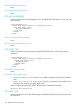
Use this command to read the default language on iLO. Use HPQLOCFG.EXE version 1.00 or later
with this command.
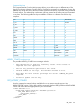
<RIBCL VERSION="2.0">
<LOGIN USER_LOGIN="adminname" PASSWORD="password">
<RIB_INFO MODE="read">
<GET_LANGUAGE/>
</RIB_INFO>
</LOGIN>
</RIBCL>
RIB_INFO 123