
HP iLO 4 Scripting and Command Line Guide

• HP Passport account is locked out due to excessive login
authentication failures.
• User has reached half the maximum allowed HP Passport login
authentication failures.
• HP Passport password has expired.
• Invalid Proxy Settings
• Cannot connect to proxy server.
• Cannot connect to remote host.
DC_REGISTRATION_COMPLETE
To fully register your device, first enter the SET_ERS_DIRECT_CONNECT command, and then finish
registering for Insight Remote Support by using the Direct Connect command
DC_REGISTRATION_COMPLETE. You must have the Configure iLO Settings privilege to modify
iLO Remote Support settings.
For example:
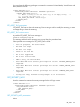
<RIBCL VERSION="2.22">
<LOGIN USER_LOGIN="adminname" PASSWORD="password">
<RIB_INFO MODE="write">
<DC_REGISTRATION_COMPLETE/>
</RIB_INFO>
</LOGIN>
</RIBCL>
DC_REGISTRATION_COMPLETE parameters
None
DC_REGISTRATION_COMPLETE runtime errors
Possible errors messages returned for this command include:
• iLO information is open for read-only access. Write access is
required for this operation.
• Internal Error
• Error reading ERS configuration
• ERS is disabled
• Invalid Command For Connect Model
SET_ERS_WEB_PROXY
Enter the SET_ERS_WEB_PROXY command to update the proxy settings for your device, or to
configure proxy settings for the first time. You must have the Configure iLO Settings privilege to
modify the iLO Remote Support settings.
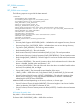
For example:
<RIBCL VERSION="2.0">
<LOGIN USER_LOGIN="adminname" PASSWORD="password">
<RIB_INFO MODE="write">
<SET_ERS_WEB_PROXY>
<ERS_WEB_PROXY_URL value="192.0.2.10"/>
<ERS_WEB_PROXY_PORT value="8080"/>
<ERS_WEB_PROXY_USERNAME value="proxy_user"/>
<ERS_WEB_PROXY_PASSWORD value="proxy_pass"/>
</SET_ERS_WEB_PROXY>
122 RIBCL XML Scripting Language