
HP iLO 4 Scripting and Command Line Guide
SET_ERS_IRS_CONNECT
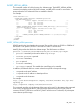
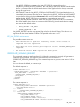
Use this comand to connect to the Insight Remote Support server, and to register the server. Use
HPQLOCFG.EXE ver 1.00 or later with this command.
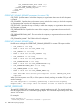
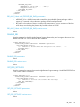
<RIBCL VERSION="2.22">
<LOGIN USER_LOGIN="adminname" PASSWORD="password">
<RIB_INFO MODE="write">
<!-- Command to connect ERS to IRS and register the server.-->
<SET_ERS_IRS_CONNECT>
<ERS_DESTINATION_URL value = "00.0.00.000"/>
<ERS_DESTINATION_PORT value = "0000"/>
</SET_ERS_IRS_CONNECT>
</RIB_INFO>
</LOGIN>
</RIBCL>
SET_ERS_IRS_CONNECT parameters
ERS_DESTINATION_URL—The host name or IP address of IRS server.
ERS_DESTINATION_PORT—The port number of the IRS server.
SET_ERS_IRS_CONNECT runtime errors
None
TRIGGER_L2_COLLECTION
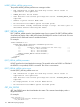
Use this command to initiate an L2 data collection submission to the Insight Remote Support server.
Use HPQLOCFG.EXE ver 1.00 or later with this command.
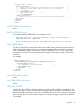
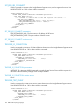
<RIBCL VERSION="2.0">
<LOGIN USER_LOGIN="adminname" PASSWORD="password">
<RIB_INFO MODE="write">
<TRIGGER_L2_COLLECTION>
<MESSAGE_ID value="nnn . . . nnn"/>
</TRIGGER_L2_COLLECTION>
</RIB_INFO>
</LOGIN>
</RIBCL>
TRIGGER_L2_COLLECTION parameters
MESSAGE_ID—Message UUID format used to match the test Service Event with this request. It is
returned in the submission package SOAP envelope header.
TRIGGER_L2_COLLECTION runtime errors
None
TRIGGER_TEST_EVENT
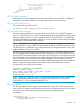
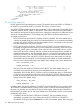
Use this command to initiate a test service event submission to the Insight Remote Support server.
Use HPQLOCFG.EXE ver 1.00 or later with this command.
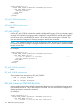
<RIBCL VERSION="2.0">
<LOGIN USER_LOGIN="adminname" PASSWORD="password">
<RIB_INFO MODE="write">
<TRIGGER_TEST_EVENT >
<MESSAGE_ID value="nnn . . . nnn"/>
</TRIGGER_TEST_EVENT>
</RIB_INFO>
</LOGIN>
120 RIBCL XML Scripting Language