
HP iLO 4 Scripting and Command Line Guide
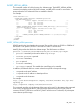
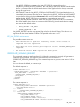
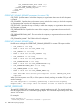
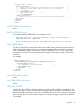
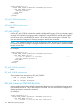
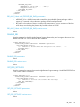

<RIBCL VERSION="2.0">
<LOGIN USER_LOGIN="adminname" PASSWORD="password">
<RIB_INFO MODE="read">
<GET_AHS_STATUS/>
</RIB_INFO>
</LOGIN>
</RIBCL>
GET_AHS_STATUS parameters
None
GET_AHS_STATUS runtime errors
None
SET_AHS_STATUS
Use the SET_AHS_STATUS command to enable or disable AHS logging. For this command to parse
correctly, the command must appear within a RIB_INFO command block, and RIB_INFO MODE
must be set to write. Use HPQLOCFG version 1.00 or later when executing this command. The
user must have the Configure iLO Settings privilege to execute this command.
NOTE: This command resets the iLO when changing the status. However, if the command results
in no status change (for example, if setting the status to Enable when the status is already enabled)
the iLO will not reset.
For example:
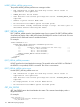
<RIBCL VERSION="2.0">
<LOGIN USER_LOGIN="adminname" PASSWORD="password">
<RIB_INFO MODE="write">
<!-- Set to "Enable" or "Disable". -->
<SET_AHS_STATUS="Disable"/>
</RIB_INFO>
</LOGIN>
</RIBCL>
SET_AHS_STATUS parameters
None
SET_AHS_STATUS runtime errors
Some possible error messages for SET_AHS_STATUS:
• AHS is already enabled.
• AHS is already disabled.
ERS_AHS_Submit.xml (TRIGGER_BB_DATA)
Use this script to initiate Active Health System data submission to the Insight Remote Support server.
Use HPQLOCFG.EXE ver 1.00 or later with this command. The user must have the Configure iLO
Settings privilege to execute this command.
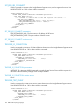
For example:
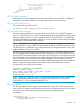
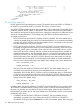
<RIBCL VERSION="2.0">
<LOGIN USER_LOGIN="adminname" PASSWORD="password">
<RIB_INFO MODE="write">
<!-- Command to initiate AHS data submission. -->
118 RIBCL XML Scripting Language