
HP iLO 4 Scripting and Command Line Guide

<!-- Firmware support information for next tag: -->
<!-- iLO 4 - All versions. -->
<!-- iLO 3 - All versions. -->
<!-- iLO 2 - All versions. -->
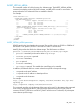
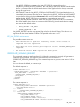
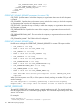
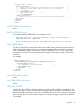
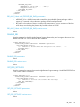
<GET_VM_STATUS DEVICE="FLOPPY"/>
</RIB_INFO>
</LOGIN>
</RIBCL>
GET_VM_STATUS parameters
DEVICE specifies the Virtual Media device target. The possible values are FLOPPY or CDROM. If
the DEVICE is not specified, FLOPPY is assumed. These values are not case-sensitive.
GET_VM_STATUS runtime errors
The possible GET_VM_STATUS error is:
An invalid Virtual Media option has been given.
GET_VM_STATUS return messages
The return message displays the current state of the Virtual Media. The VM_APPLET parameter
shows if a virtual media device is already connected through the Integrated Remote Console, Java
Integrated Remote Console, or the iLO 4 graphical interface. If the VM_APPLET = CONNECTED,
then the (non-URL based) Virtual Media is already in use and cannot be connected through scriptable
Virtual Media or Virtual Media XML commands.
NOTE: Only URL-based Virtual Media can be connected through scriptable Virtual Media or
Virtual Media XML. However, URL-based Virtual Media will display as DISCONNECTED through
VM_APPLET even if an URL-based VM is configured via the iLO, Integrated Remote Console, Java
Integrated Remote Console, CLI, or RIBCL.
The DEVICE parameter tells which device this return message is for. The BOOT_OPTION shows
the current setting; BOOT_ALWAYS means that the server always use the Virtual Media device for
booting, BOOT_ONCE means that the server boots to the Virtual Device once and then disconnects
the Virtual Media on the subsequent server reboot, and NO_BOOT means that the Virtual Media
does not connect during a server reboot. The WRITE_PROTECT_FLAG parameter shows if the
Virtual Media image can be written to. The IMAGE_INSERTED parameter tells if the Virtual Media
device is connected via the scriptable Virtual Media or the Virtual Media XML command.
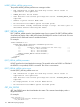
A possible GET_VM_STATUS return message is:
VM_APPLET = CONNECTED | DISCONNECTED
DEVICE = FLOPPY | CDROM
BOOT_OPTION = BOOT_ALWAYS | BOOT_ONCE | NO_BOOT
WRITE_PROTECT_FLAG = YES | NO
IMAGE_INSERTED = YES | NO
NOTE: If the BOOT_ONCE boot option is selected, all scriptable virtual media parameters are
reset to default settings after the server boots. Specifically BOOT_OPTION = NO_BOOT,
WRITE_PROTECT = NO, and IMAGE_INSERTED = NO.
SET_VM_STATUS
The SET_VM_STATUS command sets the Virtual Media drive status. This command must appear
within a RIB_INFO element, and RIB_INFO must be set to write. All the parameters in the command
are optional. You must purchase the iLO Advanced license to enable this feature.
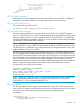
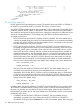
For example:
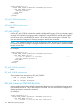
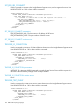
<RIBCL VERSION="2.0">
<LOGIN USER_LOGIN="adminname" PASSWORD="password">
<RIB_INFO MODE="write">
RIB_INFO 113