
HP iLO 4 Scripting and Command Line Guide

NOTE: Do not use both the UPDATE_RIB_FIRMWARE and the UPDATE_FIRMWARE commands
in the same script.
For this command to parse correctly, the command must appear within a RIB_INFO command
block, and RIB_INFO MODE must be set to write. The user must have the Configure iLO Settings
privilege to execute this command.
Example 1:
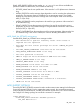
<RIBCL VERSION="2.0">
<LOGIN USER_LOGIN="adminname" PASSWORD="password">
<RIB_INFO MODE="write">
<!-- Firmware support information for next tag: -->
<!-- iLO 4 - All versions. For servers with TPM enabled. -->
<!-- iLO 3 - All versions. For servers with TPM enabled. -->
<!-- iLO 2 - 1.70 and later. For servers with TPM enabled. -->
<TPM_ENABLED VALUE="Yes"/>
<UPDATE_RIB_FIRMWARE IMAGE_LOCATION="C:\xl170\ilo4_100_p90_checked.bin"/>
</RIB_INFO>
</LOGIN>
</RIBCL>
When you send an XML script to update firmware, it verifies the trusted platform module (TPM)
configuration status of option ROM measuring. If it is enabled, the iLO firmware returns the same
warning message as stated in the web interface. You can add the TPM_ENABLE command to the
script file. HP recommends using XML script syntax to execute firmware updates. To enable the
firmware update to continue, you must set TPM_ENABLE to a value of Y or Yes.
Example 2:
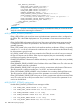
<RIBCL VERSION="2.0">
<LOGIN USER_LOGIN="Administrator" PASSWORD="password">
<RIB_INFO MODE="write">
<TPM_ENABLE ="Yes"/>
<UPDATE_FIRMWARE IMAGE_LOCATION="<path>\<firmware filename>"/>
</RIB_INFO>
</LOGIN>
</RIBCL>
UPDATE_FIRMWARE parameters
IMAGE_LOCATION is the full path file name of the firmware upgrade file.
TPM_ENABLE enables the firmware to continue updating when the option ROM measuring is
enabled. To enable the firmware update to continue, you must set TPM_ENABLE to a value of Y
or Yes.
UPDATE_FIRMWARE runtime errors
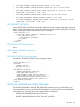
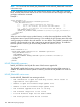
Possible UPDATE_FIRMWARE error messages include:
• RIB information is open for read-only access. Write access is
required for this operation.
• Unable to open the firmware image update file.
• Unable to read the firmware image update file.
• The firmware upgrade file size is too big.
• The firmware image file is not valid.
• A valid firmware image has not been loaded.
• The flash process could not be started.
108 RIBCL XML Scripting Language