
HP iLO 4 Scripting and Command Line Guide
• The ESKM_PRIMARY_SERVER_ADDRESS VALUE is too long.
• The ESKM_PRIMARY_SERVER_ADDRESS VALUE must not be left blank.
• The ESKM_PRIMARY_SERVER_PORT VALUE specified is invalid. Values
supported are between 1 and 65535.
• The ESKM_PRIMARY_SERVER_PORT VALUE must not be left blank.
• The ESKM_SECONDARY_SERVER_ADDRESS VALUE is too long.
• The ESKM_SECONDARY_SERVER_PORT VALUE specified is invalid. Values
supported are between 1 and 65535.
GET_ENCRYPT_SETTINGS
Use the GET_ENCRYPT_SETTINGS command to display the current encryption settings for a Lights-out
device. For this command to parse correctly, the command must appear within a RIB_INFO command
block, and RIB_INFO MODE must be set to read. For example:
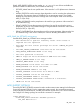
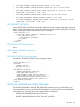
<RIBCL VERSION="2.0">
<LOGIN USER_LOGIN="adminname" PASSWORD="password">
<RIB_INFO MODE="read">
<GET_ENCRYPT_SETTINGS/>
</RIB_INFO>
</LOGIN>
</RIBCL>
GET_ENCRYPT_SETTINGS parameters
None
GET_ENCRYPT_SETTINGS runtime errors
None
GET_ENCRYPT_SETTINGS return messages
Possible GET_ENCRYPT_SETTINGS return messages includes:
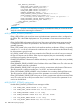
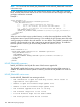
<RIBCL VERSION="2.23">
<RESPONSE
STATUS="0x0000"
MESSAGE='No error'
/>
<GET_ENCRYPT_SETTINGS>
<ENABLE_REDUNDANCY VALUE="N"/>
<ESKM_CERT_NAME VALUE=""/>
<ESKM_PRIMARY_SERVER_ADDRESS VALUE=""/>
<ESKM_PRIMARY_SERVER_PORT VALUE="0"/>
<ESKM_SECONDARY_SERVER_ADDRESS VALUE=""/>
<ESKM_SECONDARY_SERVER_PORT VALUE="0"/>
</GET_ENCRYPT_SETTINGS>
</RIBCL>
UPDATE_RIB_FIRMWARE and UPDATE_FIRMWARE
The UPDATE_FIRMWARE or UPDATE_RIB_FIRMWARE command copies a specified file to iLO,
starts the upgrade process, and reboots the board after the image has been successfully flashed.
Note that the two commands are used to update different components:
• UPDATE_RIB_FIRMWARE flashes the iLO firmware.
• UPDATE_FIRMWARE flashes the CPLD, Power PIC, and ROM.
RIB_INFO 107