
Integrated Lights-Out 3 Virtual Serial Port configuration and operation HOWTO, 6th edition
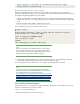
Table Of Contents
- Introduction
- Conceptual overview
- Security
- Configuration
- Operation
- Known issues
- For more information
- Call to action

9
kernel /vmlinuz-2. 6.18-164.e15 ro root=/dev/sda9 console=tty0, 115200,
initrd /initrd-2. 6.18-164.e15.img
Redirect the login console to the serial port
After Linux is fully booted, you can redirect a login console to the serial port. If you configure the
/dev/ttyS0 and /dev/ttyS1 devices, you can obtain serial tty sessions through the VSP console. Here are
the general configuration guidelines for Linux systems:
1. To begin a shell session on a configured serial port, you can start the Linux process from the system
administrator shell, but it is usually configured in the /etc/inittab to start automatically during system
boot:
sx:2345:respawn:/sbin/agetty 115200 ttySx vt100
2. Paste the following into /etc/init/ttyS0.conf for com1.
# ttyS0 - getty
#
# This service maintains a getty on ttyS0 from the point the system is
# started until it is shut down again.
start on stopped rc RUNLEVEL=[2345]
stop on runlevel [!2345]
respawn
exec /sbin/agetty -L 115200 ttyS0 vt102
NOTE
RHEL6 is moving to the newer upstart init daemon, which replaces
the older inittab style daemon. You now configure the serial port in
the /etc/init/ttyxx.conf files. Refer to RHEL6 documentation for the
details of the new configuration method for serial ports.
3. Linux requires listing the terminal in the /etc/security file to logon as root. Depending on the server
model, add one of the following lines at the end of this file: ttyS0 or ttyS1.
4. You must reboot the server before Linux will recognize the changes made in these files.
NOTE
You can find a sample Perl script (vspconfig.pl) that automatically
performs changes to the /etc/inittab file and the /etc/security file. It
is in the RIBCL sample scripts package located here:
http://h20000.www2.hp.com/bizsupport/TechSupport/SoftwareDe
scription.jsp?lang=en&cc=us&prodTypeId=18964&prodSeriesId=11
46658&prodNameId=1135772&swEnvOID=2025&swLang=8&mo
de=2&taskId=135&swItem=MTX-3b426a21bf8d40df88f91ea960.
Linux SysRq command support
iLO firmware version 1.1x supports Linux SysRq commands using the VSP. For this feature to work, you
must do on of the following on the Linux server:
• echo 1 > /proc/sys/kernel/sysrq
• edit the /etc/sysctl.conf to insert “kernel.sysrq = 1”