Integrated Lights-Out 3 Virtual Serial Port configuration and operation HOWTO, 6th edition
Manuals
Brands
HP Manuals
Computer Accessories
HP Integrated Lights-Out 3 (iLO 3) Firmware for ProLiant G7 Servers
1
2
3
4
5
6
7
8
9
10
Table Of Contents
Introduction
Conceptual overview
Security
Configuration
Configuring VSP in the host system RBSU
HP ProLiant server models with standard Universal Asynchronous Receiver/Transmitter (UART) mode
Configuration for Windows Server 2003 and 2008 operating systems
Configuration for Linux operating systems
Sample GRUB configuration file for Red Hat Linux:
Turn off the splash image
Configure the GRUB to redirect messages to the serial port
Redirect the login console to the serial port
Linux SysRq command support
Operation
Windows Emergency Management Services (EMS) Console
Windows Server 2003 and 2008 EMS commands
BIOS serial console redirection (for Windows and Linux)
Enabling serial console redirection
How to use VSP from a Secure Shell client
How to enter VSP from the command line protocol (CLP)
Command line interface key sequences for iLO
Command line interface keymap for iLO
Known issues
For more information
Call to action
6
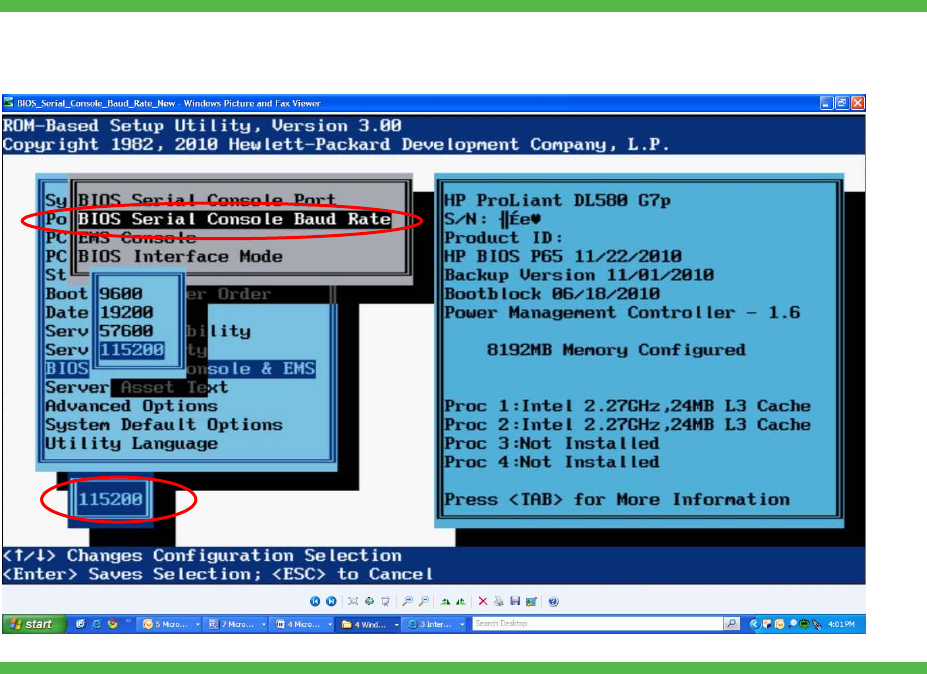
8.
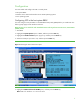
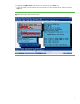
Highlight the
BI
OS Serial Consol
e Baud Rate
option
(Figure 4)
,
and then press the
Ent
er
ke
y.
9.
Select the
115200
BIOS Serial Baud
Rate.
Figure 4.
Selecting the BIOS Serial
Baud Rate
1
...
...
4
5
6
7
8
...
...
19