
Integrated Lights-Out 3 Virtual Serial Port configuration and operation HOWTO, 6th edition
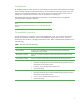
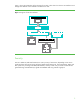
Table Of Contents
- Introduction
- Conceptual overview
- Security
- Configuration
- Operation
- Known issues
- For more information
- Call to action
2
Introduction
HP Integrated Lights-Out 3 (iLO 3) consists of an intelligent processor and firmware that lets you manage
servers remotely. The iLO Virtual Serial Port (VSP) is one iLO method of accessing a remote server. The
VSP gives you a bi-directional data flow with a server serial port. Using the remote console, you can
operate as if a physical serial connection exists on the remote server serial port.
This HOWTO describes VSP configuration and operation. You should be familiar with Lights-Out
technology before reading this document.
NOTE
Unless otherwise specified, all references to iLO in this document refer
to iLO 3.
Conceptual overview
iLO VSP technology is a component of iLO remote management. In iLO, you access the VSP functions
through the command-line interface. VSP was renamed Remote Serial Console in iLO 2; however, it
functions the same as before, including the text-based console. Table 1 briefly describes elements of iLO
VSP technology.
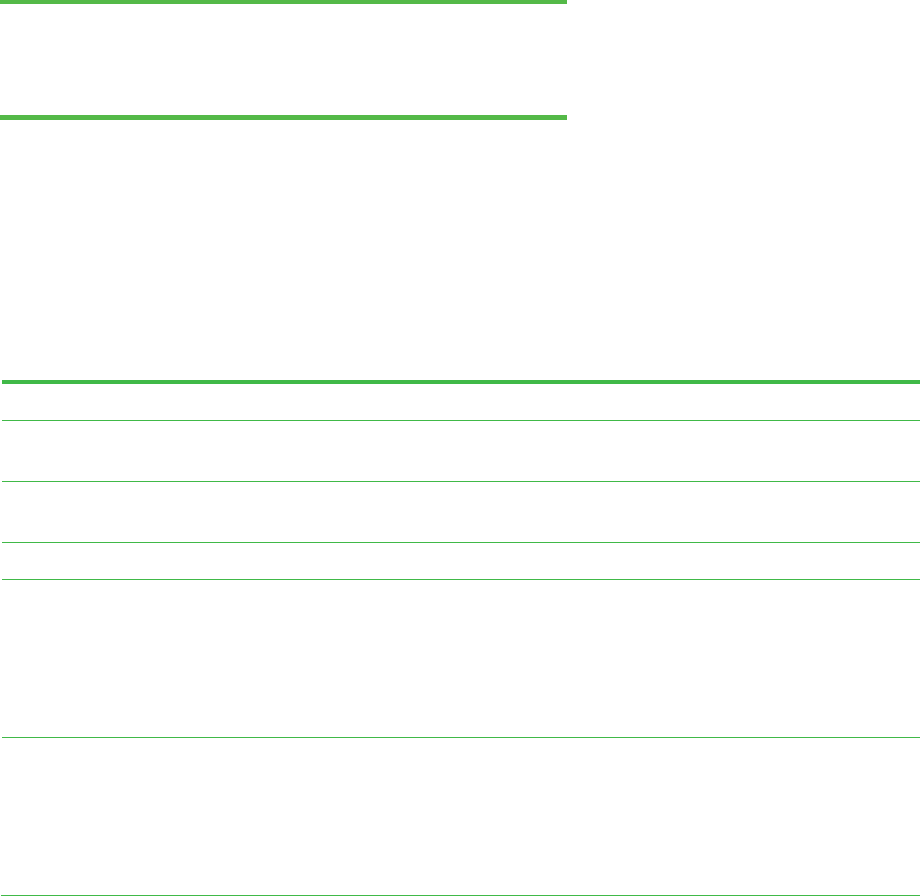
Table 1. Elements of iLO VSP technology
Element Description
Access method Using the Secure Shell (SSH), you can access iLO through a command-line
interface (CLI) over the network.
Management interfaces There are two remote management interfaces: the iLO browser interface and the
iLO CLI.
Command-line interface You can access the text-based Host Console and the iLO VSP through iLO CLI.
Virtual serial port (VSP) The iLO VSP can remotely access the following host serial services:
• Microsoft® Windows® Server 2003 and 2008 Operating System Emergency
Management Services (EMS) Console
• Linux® user session through serial tty (ttyS0 or ttyS1
• System POST dialog
Host physical serial port You can access the following host serial services through the iLO CLI:
• Microsoft® Windows® Server 2003 and 2008 Operating System Emergency
Management Services (EMS) Console
• Linux user session through serial tty (ttyS0 or ttyS1)
• System POST dialog