
HP iLO 3 Scripting and Command Line Guide
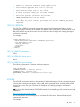
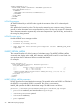
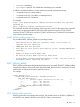
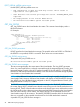
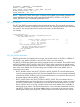
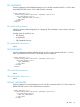
<RIBCL VERSION="2.0">
<LOGIN USER_LOGIN="adminname" PASSWORD="password">
<RIB_INFO MODE="write">
<LICENSE>
<ACTIVATE="1111122222333334444455555"/>
</LICENSE>
</RIB_INFO>
</LOGIN>
</RIBCL>
LICENSE parameters
ACTIVATE followed by a valid KEY value signals the activation of the iLO 3 advanced pack
licensing.
KEY specifies the license key value. The key must be entered as one continuous string. Commas,
periods, or other characters must not separate the key value. The key only accepts 25 characters;
other characters entered to separate key values are interpreted as a part of the key, and results in
the wrong key being entered.
LICENSE runtime errors
Possible LICENSE error messages include:
• License key error.
• License is already active.
• User does not have correct privilege for action. CONFIG_ILO_PRIV
required.
INSERT_VIRTUAL_MEDIA
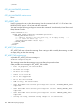
This command notifies iLO of the location of a diskette image. The INSERT_VIRTUAL_MEDIA
command must display within a RIB_INFO element, and RIB_INFO must be in write mode. You
must purchase the iLO Advanced license to enable this feature.
For example:
<RIBCL VERSION="2.0">
<LOGIN USER_LOGIN="adminname" PASSWORD="password">
<RIB_INFO MODE="write">
<!-- Firmware support information for next tag: -->
<!-- iLO 3 - All versions. -->
<!-- iLO 2 - All versions. -->
<INSERT_VIRTUAL_MEDIA DEVICE="FLOPPY" IMAGE_URL="http://188.188.188.33/
images/Floppy/dos.bin" />
</RIB_INFO>
</LOGIN>
</RIBCL>
INSERT_VIRTUAL_MEDIA parameters
DEVICE specifies the Virtual Media device target. The possible values are FLOPPY or CDROM. If
the DEVICE is not specified, FLOPPY is assumed. This value is case-sensitive.
IMAGE_URL specifies the URL for the diskette image. The URL format is as follows:
protocol://username:password@hostname:port/filename,cgi-helper
• protocol is mandatory and must be either http or https.
• username:password is optional.
• hostname is mandatory.
• port is optional.
92 RIBCL XML Scripting Language