
HP iLO 3 Scripting and Command Line Guide
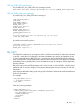
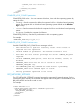
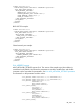

COUNT="1"
DESCRIPTION="POST Error: 1775-Drive Array -
ProLiant Storage System not Responding" />
...
</EVENT_LOG>
CLEAR_EVENTLOG
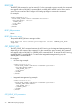
The CLEAR_EVENTLOG command clears the iLO Event Log. For this command to parse correctly,
the command must appear within a RIB_INFO command block, and RIB_INFO MODE must be set
to write. The user must have the Configure iLO Settings privilege to execute this command.
For example:
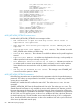
<RIBCL VERSION="2.0">
<LOGIN USER_LOGIN="adminname" PASSWORD="password">
<RIB_INFO MODE="write">
<CLEAR_EVENTLOG/>
</RIB_INFO>
</LOGIN>
</RIBCL>
CLEAR_EVENTLOG parameters
None
CLEAR_EVENTLOG runtime errors
The possible CLEAR_EVENTLOG error messages are:
• RIB information is open for read-only access. Write access is
required for this operation.
• User does not have correct privilege for action. CONFIG_ILO_PRIV
required.
COMPUTER_LOCK_CONFIG
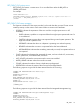
The COMPUTER_LOCK_CONFIG command is used to configure the Remote Console Computer
Lock feature. For this command to parse correctly, the command must appear within a RIB_INFO
command block, and RIB_INFO MODE must be set to write. The user must have the Configure iLO
Settings privilege to execute this command.
Uppercase letters are not supported, and are converted automatically to lowercase. If either a
double quote or a single quote is used, it must be different from the delimiter. For a complete list
of the supported custom keys, see the HP iLO User Guide on the HP website at: http://www.hp.com/
go/ilo3 and click More iLO Documentation.
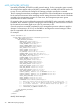
<RIBCL VERSION="2.0">
<LOGIN USER_LOGIN="adminname" PASSWORD="password">
<RIB_INFO MODE="write">
<COMPUTER_LOCK_CONFIG>
<!-- To set default Windows Computer Lock keys combination: -->
<COMPUTER_LOCK value="windows"/>
<!-- To configure custom Computer Lock keys combination: -->
<!--
<COMPUTER_LOCK value="custom"/>
<COMPUTER_LOCK_KEY value="L_GUI,l"/>
-->
<!-- To disable Computer Lock feature: -->
<!--
74 RIBCL XML Scripting Language