
HP iLO 3 Scripting and Command Line Guide
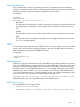
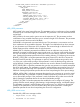
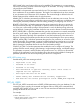
<GET_ALL_USERS />
</USER_INFO>
</LOGIN>
</RIBCL>
GET_ALL_USERS parameters
None
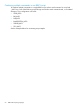
GET_ALL_USERS runtime errors
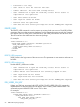
The possible GET_ALL_USERS error messages include:
• User does not have correct privilege for action. ADMIN_PRIV required.
GET_ALL_USERS return messages
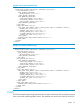
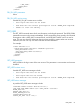
A possible GET_ALL_USERS return message is:
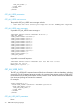
<RESPONSE STATUS="0x0000" MESSAGE='No Error'/>
<GET_ALL_USERS>
<USER_LOGIN VALUE="username"/>
<USER_LOGIN VALUE="user2"/>
<USER_LOGIN VALUE="user3"/>
<USER_LOGIN VALUE="user4"/>
<USER_LOGIN VALUE="user5"/>
<USER_LOGIN VALUE="user6"/>
<USER_LOGIN VALUE="user7"/>
<USER_LOGIN VALUE="user8"/>
<USER_LOGIN VALUE="user9"/>
<USER_LOGIN VALUE="user10"/>
<USER_LOGIN VALUE=""/>
<USER_LOGIN VALUE=""/>
</GET_ALL_USERS>
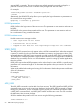
A possible unsuccessful request is:
<RESPONSE STATUS="0x0023" MESSAGE='User does NOT have correct
privilege for action.
ADMIN_PRIV required.'/>
GET_ALL_USER_INFO
The GET_ALL_USER_INFO command returns all local user information in the user database, excluding
passwords. For this command to parse correctly, the command must appear within a USER_INFO
command block, and USER_INFO MODE can be in read or write. The user must have the Administer
User Accounts privilege to execute this command.
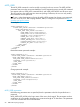
For example:
<RIBCL VERSION="2.0">
<LOGIN USER_LOGIN="adminname" PASSWORD="password">
<USER_INFO MODE="read">
<GET_ALL_USER_INFO />
</USER_INFO>
</LOGIN>
</RIBCL>
GET_ALL_USER_INFO parameters
None
70 RIBCL XML Scripting Language