
HP iLO 3 Scripting and Command Line Guide

MOD_USER
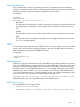
The MOD_USER command is used to modify an existing local user account. The USER_LOGIN
parameter must exist in the current user database. For this command to parse correctly, the command
must appear within a USER_INFO command block, and USER_INFO MODE must be set to write.
The user must have the Administer User Accounts privilege. Otherwise, the user can only modify
their individual account password.
To see a video demonstration of using the MOD_USER command to change a user password,
see How to use HP iLO's XML scripting interface, RIBCL, to change an user password. at http://
www.hp.com/go/ilo/videos.
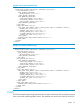
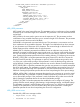
For example:
<RIBCL VERSION="2.0">
<LOGIN USER_LOGIN="adminname" PASSWORD="password">
<USER_INFO MODE="write">
<MOD_USER USER_LOGIN="username">
<USER_NAME value="displayname"/>
<USER_LOGIN value="newusername"/>
<PASSWORD value="newpassword"/>
<ADMIN_PRIV value="Yes"/>
<REMOTE_CONS_PRIV value="No"/>
<RESET_SERVER_PRIV value="Yes"/>
<VIRTUAL_MEDIA_PRIV value="Yes"/>
<CONFIG_ILO_PRIV value="Yes"/>
</MOD_USER>
</USER_INFO>
</LOGIN>
</RIBCL>
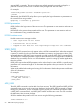
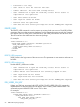
Reset administrator password example:
<RIBCL VERSION="2.0">
<LOGIN USER_LOGIN="adminname" PASSWORD="password">
<USER_INFO MODE="write">
<MOD_USER USER_LOGIN="Administrator">
<PASSWORD value="password"/>
</MOD_USER>
</USER_INFO>
</LOGIN>
</RIBCL>
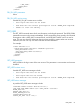
Change password example:
<RIBCL VERSION="2.0">
<LOGIN USER_LOGIN="adminname" PASSWORD="password">
<USER_INFO MODE="write">
<MOD_USER USER_LOGIN="username">
<PASSWORD value="newpassword"/>
</MOD_USER>
</USER_INFO>
</LOGIN>
</RIBCL>
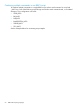
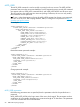
MOD_USER parameters
If the following parameters are not specified, then the parameter value for the specified user is
preserved.
MOD_USER USER_LOGIN is the login name of the user to be changed. This parameter can be a
combination of any printable characters up to a maximum length of 39 characters. This parameter
is not case sensitive and must not be left blank.
68 RIBCL XML Scripting Language