
HP iLO 3 Scripting and Command Line Guide



/map1
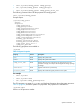
• reset
Set the status of the manual_iLO_reset property using the following commands:
• set /map1/ manual_ilo_reset=yes
• set /map1/ manual_ilo_reset=no
Firmware commands
Firmware commands enable you to display and modify the iLO 3 firmware version. Table 17 (page
52) shows the Firmware Update properties. Firmware settings are available at:
/map1/firmware1
Targets
No targets
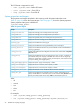
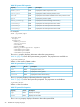
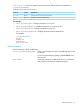
Table 17 Firmware Update Properties
DescriptionAccessProperty
Displays the current firmware version.readversion
Displays the release date of the current firmware version.readdate
Command format
load -source URL [target]
where URL is the URL of a firmware update image file on a web server. The URL is limited to 80
characters.
URL example:
protocol://username:password@hostname:port/filename
• protocol—Mandatory field that must be HTTP or HTTPS.
• username:password—Optional field
• hostname—Mandatory field
• port—Optional field
• filename—Mandatory field
The CLP only performs a cursory syntax verification of the URL value. You must visually ensure that
the URL is valid.
For example
load -source http://imgserver.company.com/firmware/iloFWimage.bin
load -source http://john:abc123@imgserver.company.com/firmware/ilo.bin
load /map1/firmware1 -source
http://imgserver.company.com/firmware/iloFWimage.bin
The [target] field is:
/map1/firmware1—This field is optional if it is already the current target.
Eventlog commands
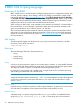
Eventlog commands enable you to display or delete the logs of both the system and iLO 3.
Table 18 (page 53) shows the Eventlog command properties. Eventlog settings are available at:
• /system1/log1—IML
• /map1/log1—iLO event log
52 SMASH CLP Scripting Language