
HP iLO 3 Scripting and Command Line Guide


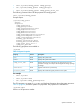

• To insert a CD-ROM image and set for single boot, enter:
cd /map1/oemhp_vm1/cddr1
set oemhp_image=http://my.imageserver.com/ISO/install_disk1.iso
set oemhp_boot=connect
set oemhp_boot=once
show
This example executes the following commands:
◦ Changes the current context to the CD-ROM drive
◦ Shows the current status to verify that the media is not in use
◦ Inserts the desired image into the drive
◦ Connects the media. The boot setting always connects automatically
◦ Overrides the boot setting to Once
• To eject a CD-ROM image from the virtual CD-ROM in a single command, enter:
set /map1/oemhp_vm1/cddr1 oemhp_boot=disconnect
If you attempt to disconnect when the drive is not connected, you receive an error.
Start and Reset commands
Start and reset commands enable you to power on and reboot the server containing iLO 3 or iLO
3 itself. Table 15 (page 51) shows the Start and Reset command properties.
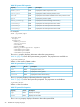
Table 15 Start and Reset Commands
DescriptionCommand
Turns server power onstart
Turns server power offstop
Power cycles the serverreset hard
Warm boots the serverreset soft
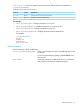
Table 16 Manual Reset Command
DescriptionAccessProperty
Allows a delay to iLO resets, which is useful when changing multiple
properties. Valid values are yes (enabled) or no (disabled). When
Read/Writemanual_iLO_reset
enabled, the iLO will reset only when a user logs out, is
disconnected from iLO, or issues a ‘reset/map1’ command.
For example
The following commands are supported if the current target is:
/system1
• start
• stop
The following commands are supported if the current target is:
Specific commands 51