
HP iLO 3 Scripting and Command Line Guide
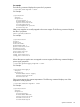
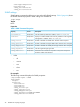
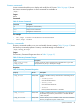
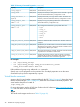
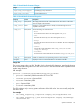
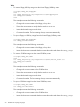

Table 13 Virtual Media Command Targets
DescriptionTarget
Virtual floppy or key drive device/map1/oemhp_vm1/floppydr1
Virtual CD-ROM device/map1/oemhp_vm1/cddr1
Table 14 Virtual Media Command Properties
DescriptionAccessProperty
The image path and name for virtual media access. The value is a URL with a
maximum length of 80 characters.
Read/Writeoemhp_image
Displays if a virtual media device is already connected through the CLP or
scriptable virtual media.
Readoemhp_connect
Sets the boot flag. The valid values are:Read/Writeoemhp_boot
• Never
Do not boot from the device. The value appears as No_Boot.
• Once
Boot from the device only once. The value appears as Once.
• Always
Boot from the device each time the server is rebooted. The value is displayed
as Always.
• Connect
Connect the virtual media device. Sets oemhp_connect to Yes and
oemhp_boot to Always.
• Disconnect
Disconnects the virtual media device and sets the oemhp_boot to No_Boot.
Enables or disables the write-protect flag. Boolean values accepted.Read/Writeoemhp_wp
Displays if an iLO 3 virtual media device is connected via the IRC.Readvm applet
Image URL
The oemhp image value is a URL. The URL, which is limited to 80 characters, specifies the location
of the virtual media image file on an HTTP server and is in the same format as the scriptable virtual
media image location.
URL example:
protocol://username:password@hostname:port/filename
• protocol—Mandatory field that must be HTTP or HTTPS
• username:password—Optional field
• hostname—Mandatory field
• port—Optional field
• filename—Mandatory field
The CLP performs only a cursory syntax verification of the URL value. You must visually verify that
the URL is valid.
For example
• set oemhp_image=http://imgserver.company.com/image/dosboot.bin
• set oemhp_image=http://john:abc123@imgserver.company.com/VMimage/
installDisk.iso
Specific commands 49