
HP iLO 3 Scripting and Command Line Guide
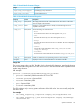
For example
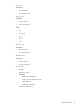
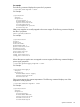
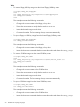
The following command displays the system fan1 properties:
</system1/fan1>hpiLO-> show
For example:
/system1/fan1
Targets
Properties
DeviceID=Fan 1
ElementName=System
OperationalStatus=Ok
VariableSpeed=Yes
DesiredSpeed=14 percent
HealthState=Ok
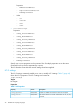
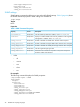
VRM power supplies are usually mapped to the sensor targets. The following command displays
the VRM 1 properties:
show system1/sensor1
For example:
/system1/sensor1
Targets
Properties
DeviceID=VRM 1
ElementName=CPU 1
OperationalStatus=Ok
RateUnits=Volts
CurrentReading=0
SensorType=Voltage
HealthState=Ok
oemhp_CautionValue=0
oemhp_CriticalValue=0
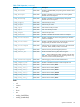
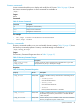
When VRM power supplies are not mapped to sensor targets, the following command displays
power supply properties:
</system1/powersupply1>hpiLO-> show
For example:
/system1/powersupply1
Targets
Properties
ElementName=Power Supply
OperationalStatus=Ok
HealthState=Ok
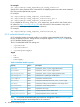
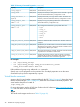
Other sensor targets show system temperatures. The following command displays one of the
temperature zone properties:
</system1/sensor1>hpiLO-> show
For example:
/system1/sensor1
Targets
Properties
DeviceID=Temp 1
ElementName=Ambient
OperationalStatus=Ok
RateUnits=Celsius
CurrentReading=20
Specific commands 45