
HP iLO 3 Scripting and Command Line Guide

• To assign the operator role Login, Remote Console, Virtual Power and Reset, and Virtual Media
privileges:
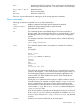
</>hpiLO-> set /map1/oemhp_ssocfg1
oemhp_ssooperator=login,oemhp_rc,oemhp_power,oemhp_vm
• To Add an HP SIM Trusted Server name record:
</>hpiLO-> cd map1/oemhp_ssocfg1
</map1/oemhp_ssocfg1>hpiLO-> create hpsim1.corp.net
• To move a binary image from an URL to the MAP (URL limit of 80 characters):
protocol://username:password@hostname:port/filename
◦ The protocol field is mandatory and must be either HTTP or HTTPS.
◦ The username:password field is optional.
◦ The hostname field is mandatory.
◦ The port field is optional.
◦ The filename field is mandatory.
For example:
</map1/oemhp_ssocfg1>hpiLO-> load -source
http://192.168.1.1/images/fw/iLO3_100.bin
Add –TPM_force if a TPM is installed and enabled.
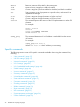
• To delete oemhp_ssoserver with index 5:
</map1/oemhp_ssocfg1>hpiLO-> delete 5
• To display the complete iLO SSO configuration:
</>hpiLO-> cd map1/oemhp_ssocfg1
</map1/oemhp_ssocfg1>hpiLO->show
Network commands
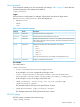
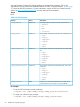
The network subsystems are located at:
• /map1/enetport1
• /map1/dhcpendpt1
• /map1/dnsendpt1
• /map1/gateway1
• /map1/dnsserver1
• /map1/dnsserver2
• /map1/dnsserver3
• /map1/settings1
• /map1/vlan1
Specific commands 39