
HP iLO 3 Scripting and Command Line Guide


The privilege level of the logged in user is verified against the privilege required for the command.
The command is only executed if the privilege levels match. If the serial command line session
status is set to Enabled-No Authentication, then all the commands are executed without
verifying the privilege level.
The general syntax of a CLP command is:
<verb> <target> <option> <property>
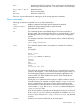
• Verbs—The supported verbs are:
cd◦
◦ create
◦ delete
◦ help
◦ load
◦ reset
◦ set
◦ show
◦ start
◦ stop
◦ exit
◦ version
• Target—The default target is the /. Change the target using the cd command, or by specifying
a target on the command line.
• Options—The valid options are:
-help/-h◦
◦ -all/-a
• Properties — Are the attributes of the target that can be modified.
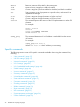
• Output — The output syntax is:
status◦
◦ status_tag
◦ status_msg
The valid Boolean values for any command are yes, no, true, false, y, n, t, f, 1, and 0.
NOTE: If a CLP command spans more than one line, you cannot navigate between different lines.
In the Windows PuTTy client, map the Backspace key to a value of 0x8 by changing the setting
for Terminal Keyboard to Ctrl+H.
Escape commands
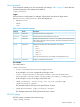
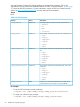
The escape key commands are shortcuts to popular tasks.
34 SMASH CLP Scripting Language