
HP iLO 3 Scripting and Command Line Guide


7 SMASH CLP Scripting Language
SMASH CLP command line overview
SMASH CLP provides a standardized set of commands for the configuration and control of
management processors (called Management Access Points) and host systems. On iLO, SMASH
CLP is accessed through the SSH port.
SMASH CLP command line access
The iLO 3 firmware features enable you to execute the supported commands from a SMASH CLP
command line. Access the command line option from the one of the following interfaces:
• A serial port using one connection
• A network using SSH. This enables three simultaneous connections (an IP address or DNS
name, login name, and password are required to start a session using SSH)
Five network connections can be active simultaneously. After the serial CLI is enabled on the Global
Settings screen, access the iLO CLI by entering:
ESC (
The SSH session starts after authentication.
Using the command line
After initiating a command line session, the iLO CLI prompt appears. Each time you execute a
command (or you exit the Remote Console or VSP), you return to the CLI prompt as shown in the
following example:
hpiLO->
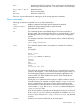
Each time a CLI command executes, the returned output follows this general format:
hpiLO-> CLI command
status=0
status_tag=COMMAND COMPLETED
… output returned…
hpiLO->
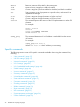
If an invalid command is entered, then the status and status_tag values reflect the error as
shown:
hpiLO-> boguscommand
status=2
status_tag=COMMAND PROCESSING FAILED
error_tag=COMMAND NOT RECOGNIZED
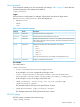
If an invalid parameter is given to a valid command, the response is slightly different:
hpiLO-> show /bad
status=2
status_tag=COMMAND PROCESSING FAILED
error_tag=COMMAND ERROR-UNSPECIFIED
Invalid property.
hpiLO->
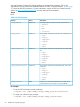
The following commands are supported in this release of CLP. The same command set is supported
through the serial port and SSH connections.
SMASH CLP command line overview 33