
HP iLO 3 Scripting and Command Line Guide
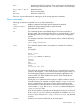
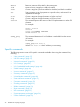
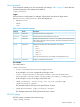
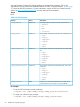


Most Linux IPMI tool commands can be issued remotely, including retrieving the IML entries and
current sensor readings. The following parameter is required to enable the IPMI 2.0 RMCP+
protocol:
-l lanplus
Advanced IPMIutil usage on Windows
Use the Windows IPMIutil.exe application for remote IPMI access to iLO. The commands,
although different, provide similar functionality.
• To retrieve the general status of iLO, enter:
C:\> ipmiutil.exe health -N IP Address -J 3 -U user name -P Password
• To power the HP ProLiant server on, enter:
C:\> ipmiutil.exe reset -u -N IP Address -J 3 -U user name -P
Password
• To power the HP ProLiant server off, enter:
C:\> ipmiutil.exe reset -d -N IP Address -J 3 -U user name-P Password
• To turn on the HP ProLiant server UID, enter:
C:\> ipmiutil.exe led -i5 -N IP Address -J 3 -U user name -P Password
NOTE: The IPMIutil application only enables turning on the UID for five seconds. To keep
the UID light on persistently, script the command in a loop with a four second delay.
32 IPMI usage