
HP iLO 3 Scripting and Command Line Guide
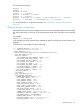
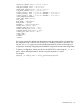

<PRIM_DNS_SERVER value = "16.81.3.242"/>
<SEC_DNS_SERVER value = "0.0.0.0"/>
<TER_DNS_SERVER value = "0.0.0.0"/>
<PRIM_WINS_SERVER value = "16.81.3.247"/>
<SEC_WINS_SERVER value = "0.0.0.0"/>
<STATIC_ROUTE_1 DEST = "0.0.0.0" GATEWAY = "0.0.0.0"/>
<STATIC_ROUTE_2 DEST = "0.0.0.0" GATEWAY = "0.0.0.0"/>
<STATIC_ROUTE_3 DEST = "0.0.0.0" GATEWAY = "0.0.0.0"/>
</MOD_NETWORK_SETTINGS>
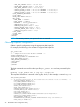
<USER_INFO MODE="write">
<ADD_USER
USER_NAME = "Username1"
USER_LOGIN = "User1"
PASSWORD = "%user_password%">
<ADMIN_PRIV value = "N"/>
<REMOTE_CONS_PRIV value = "Y"/>
<RESET_SERVER_PRIV value = "N"/>
<VIRTUAL_MEDIA_PRIV value = "N"/>
<CONFIG_ILO_PRIV value = "N"/>
</ADD_USER>
</USER_INFO>
</LOGIN>
</RIBCL>
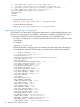
For security reasons, the default user administrator and user passwords are not captured in
the configuration file or returned in the response. A variable is provided in its place to use
with the substitute option to provide a default password for all users when restoring a
configuration. Manually change the password before using the file to restore the configuration.
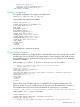
• To restore a configuration, the file must be sent to HPONCFG as input using the /f or -f
option. Add a default password for all users using the substitute or s option.
For example:
hponcfg /f config.xml /s user_password=password
HPONCFG utility 29