
HP iLO 3 Scripting and Command Line Guide
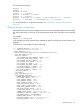
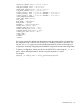
<!-- HOST_POWER="No" (Turns host server power off) -->
<!-- A graceful shutdown will be attempted for ACPI-aware -->
<!-- operating systems configured to support graceful shutdown. -->
<!-- HOST_POWER="Yes" (Turns host server power on) -->
<SET_HOST_POWER HOST_POWER="%host_power%"/>
</SERVER_INFO>
</LOGIN>
</RIBCL>
• To power the system on, enter:
hponcfg /f Set_Host_Power.xml /s host_power=YES
• To power the system off, enter:
hponcfg /f Set_Host_Power.xml /s host_power=NO
Capturing and restoring a configuration
Use HPONCFG to capture basic configuration information in an XML readable file format. Use
this file to set or restore the iLO configuration. This feature is available with HPONCFG version
1.2 and later. HPONCFG writes the configuration information in the HP RIBCL format.
• To capture a configuration, you must specify the name and location of the output file on the
command line.
For example:
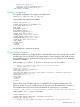
hponcfg /w config.xml
HPONCFG displays a message when it successfully writes the configuration information to
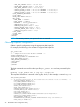
the output file as requested. The following is an example of the contents of the output file:
<!-- HPONCFG VERSION = "1.2" -->
<!-- Generated 07/06/05 09:06:51 -->
<RIBCL VERSION="2.1">
<LOGIN USER_LOGIN="Administrator" PASSWORD="password">
<DIR_INFO MODE="write">
<MOD_DIR_CONFIG>
<DIR_AUTHENTICATION_ENABLED VALUE = "N"/>
<DIR_LOCAL_USER_ACCT VALUE = "Y"/>
<DIR_SERVER_ADDRESS VALUE = ""/>
<DIR_SERVER_PORT VALUE = "636"/>
<DIR_OBJECT_DN VALUE = ""/>
<DIR_OBJECT_PASSWORD VALUE = ""/>
<DIR_USER_CONTEXT_1 VALUE = ""/>
<DIR_USER_CONTEXT_2 VALUE = ""/>
<DIR_USER_CONTEXT_3 VALUE = ""/>
</MOD_DIR_CONFIG>
</DIR_INFO>
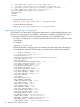
<RIB_INFO MODE="write">
<MOD_NETWORK_SETTINGS>
<SPEED_AUTOSELECT VALUE = "Y"/>
<NIC_SPEED VALUE = "100"/>
<FULL_DUPLEX VALUE = "Y"/>
<DHCP_ENABLE VALUE = "Y"/>
<DHCP_GATEWAY VALUE = "Y"/>
<DHCP_DNS_SERVER VALUE = "Y"/>
<DHCP_STATIC_ROUTE VALUE = "Y"/>
<DHCP_WINS_SERVER VALUE = "Y"/>
<REG_WINS_SERVER VALUE = "N"/>
<IP_ADDRESS VALUE = "16.100.241.229"/>
<SUBNET_MASK VALUE = "255.255.252.0"/>
<GATEWAY_IP_ADDRESS VALUE = "16.100.240.1"/>
<DNS_NAME VALUE = "ILOD234KJ44D002"/>
<DOMAIN_NAME VALUE = "americas.cpqcorp.net"/>
28 HPONCFG online configuration utility