
HP iLO 3 Scripting and Command Line Guide
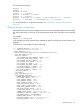
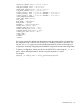
The command line format is:
hponcfg -?
hponcfg -h
hponcfg -m minFw
hponcfg -r [-m minFw ]
hponcfg -w filename [-m minFw]
hponcfg -g [-m minFw]
hponcfg -f filename [-l filename] [-s namevaluepairs] [-v] [-m minFw]
hponcfg -i [-l filename] [-s namevaluepairs] [-v] [-m minFw]
For more information on using these parameters, see “HPONCFG command line parameters”
(page 23).
Obtaining the basic configuration
Use HPONCFG to obtain a basic configuration from iLO 3 by executing the utility from the command
line without specifying an input file. You must provide the name of the output file on the command
line.
For example:
hponcfg /w config.xml
In this example, the utility indicates that it obtained the data successfully and wrote the data to the
output file.
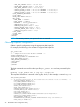
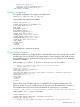
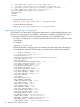
The following is an example of a typical output file:
<!-- HPONCFG VERSION = "4.2.0.0" -->
<!-- Generated 08/20/13 20:14:12 -->
<RIBCL VERSION="2.1">
<LOGIN USER_LOGIN="Administrator" PASSWORD="password">
<DIR_INFO MODE="write">
<MOD_DIR_CONFIG>
<DIR_AUTHENTICATION_ENABLED VALUE = "N"/>
<DIR_LOCAL_USER_ACCT VALUE = "Y"/>
<DIR_SERVER_ADDRESS VALUE = ""/>
<DIR_SERVER_PORT VALUE = "636"/>
<DIR_OBJECT_DN VALUE = ""/>
<DIR_OBJECT_PASSWORD VALUE = ""/>
<DIR_USER_CONTEXT_1 VALUE = ""/>
<DIR_USER_CONTEXT_2 VALUE = ""/>
<DIR_USER_CONTEXT_3 VALUE = ""/>
</MOD_DIR_CONFIG>
</DIR_INFO>
<RIB_INFO MODE="write">
<MOD_NETWORK_SETTINGS>
<SPEED_AUTOSELECT VALUE = "Y"/>
<NIC_SPEED VALUE = "10"/>
<FULL_DUPLEX VALUE = "N"/>
<DHCP_ENABLE VALUE = "Y"/>
<DHCP_GATEWAY VALUE = "Y"/>
<DHCP_DNS_SERVER VALUE = "Y"/>
<DHCP_STATIC_ROUTE VALUE = "Y"/>
<DHCP_WINS_SERVER VALUE = "Y"/>
<REG_WINS_SERVER VALUE = "Y"/>
<IP_ADDRESS VALUE = "192.168.1.3"/>
<SUBNET_MASK VALUE = "255.255.255.0"/>
<GATEWAY_IP_ADDRESS VALUE = "192.168.1.1"/>
<DNS_NAME VALUE = "ILODNSNAME"/>
<DOMAIN_NAME VALUE = "hp.com"/>
<PRIM_DNS_SERVER value = "192.168.1.2"/>
<SEC_DNS_SERVER value = "0.0.0.0"/>
HPONCFG utility 25