
HP iLO 3 Scripting and Command Line Guide


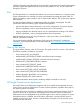

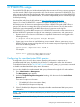
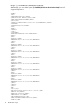
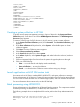
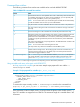

Table 1 HP iLO 3 1.61 scripting and command line utilities required versions
Version notes for iLO 3 1.61VersionUtility
HP Lights-Out Configuration Utility. This replaces the CPQLOCFG
utility.
1.0HPQLOCFG
To use this version of the HP Lights-Out Online Configuration Utility
you must also upgrade your Channel Interface Driver (CHIF) to version
3.9.0.0.
4.2.0HPONCFG
This utility is available in the HP Lights-Out XML Scripting Sample
4.2.0 bundle.
4.20LOCFG.PL
Update to this version of HPLOMIG before installing the iLO 3 1.61
update.
4.2.0HPLOMIG
This utility is being phased out.4.11CPQLOCFG
NOTE: Upgrades are required only for the utilities you use. Continuing to use utilities without the
update will cause the following inform message to appear:
Scripting utility should be updated to the latest version.
HPQLOCFG Utility
The HP Lights-Out Configuration Utility (HPQLOCFG.EXE) utility replaces the previously used
CPQLOCFG.EXE utility. HPQLOCFG is a Windows command line utility that sends XML configuration
and control scripts over the network to iLO. Run this utility manually from a Windows command
prompt, or create a batch file to run the same script to many iLO devices.
The tool accepts properly formatted XML scripts containing commands and values; see the XML
scripts in the iLO Sample Scripts for Windows or the HP Lights-Out XML Scripting Sample for Linux
for examples of proper formatting. All available commands are detailed later in this guide.
HPQLOCFG also integrates with HP SIM for easy launching of the same script on multiple devices.
LOCFG.PL Script
The LOCFG.PL scripting utility is a PERL script that provides similar functionality as the HPQLOCFG
utility. Run this tool on any client that has a compatible PERL environment (including OpenSSL)
installed. This tool uses the same XML scripts as HPQLOCFG input files.
HPONCFG Utility
Use the HPONCFG.EXE utility to send XML configuration and control scripts (the same scripts as
HPQLOCFG) from the server host operating system to iLO. HPONCFG has both Windows and
Linux versions. One common usage is to run an HPONCFG script to configure iLO to a standard
configuration at the end of your server deployment process. HPONCFG integrates with HP RDP
and also runs at the end of an unattended OS installation.
When you run HPONCFG from the host operating system, you must be logged in to the host server
using an Administrator or root level user account. An iLO user ID and password is not required.
Windows server operating systems also have the HPONCFG_GUI.EXE utility. This utility provides
the same basic configuration capabilities as the iLO F8 ROM-RBSU during the server boot-up
process.
SMASH CLP
SMASH CLP is the DMTF suite of specifications that deliver industry-standard protocols and profiles
to unify the management of the data center. The SMASH CLP specification enables simple and
intuitive management of heterogeneous servers in a data center.
12 Introduction