
HP iLO 3 Scripting and Command Line Guide
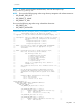


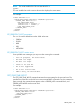
</LOGIN>
</RIBCL>
Set host power example:
<RIBCL VERSION="2.0">
<LOGIN USER_LOGIN="adminname" PASSWORD="password">
<SERVER_INFO MODE="write">
<!-- Modify the HOST_POWER attribute to toggle power on the host server -->
<!-- HOST_POWER="No" (Turns host server power off) -->
<!-- A graceful shutdown will be attempted for ACPI-aware -->
<!-- operating systems configured to support graceful shutdown. -->
<!-- HOST_POWER="Yes" (Turns host server power on) -->
<SET_HOST_POWER HOST_POWER="No"/>
</SERVER_INFO>
</LOGIN>
</RIBCL>
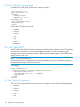
GET_PERSISTENT_BOOT
The GET_PERSISTENT_BOOT command returns the current boot order. The specified user must
have a valid iLO account to execute RIBCL commands. For this command to parse correctly, the
command must appear within a SERVER_INFO command block, and SERVER_INFO MODE must
be set to read.
For example:
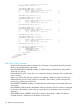
<RIBCL VERSION="2.0">
<LOGIN USER_LOGIN="adminname" PASSWORD="password">
<SERVER_INFO MODE="read">
<GET_PERSISTENT_BOOT/>
</SERVER_INFO>
</LOGIN>
</RIBCL>
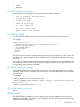
GET_PERSISTENT_BOOT return messages
A possible GET_PERSISTENT_BOOT return message includes:
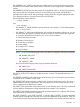
<?xml version="1.0"?>
<RIBCL VERSION="2.23">
<RESPONSE
STATUS="0x0000"
MESSAGE='No error'
/>
<PERSISTENT_BOOT>
<DEVICE value="CDROM"/>
<DEVICE value="HDD"/>
<DEVICE value="FLOPPY"/>
<DEVICE value="USB"/>
<DEVICE value="NETWORK"/>
</PERSISTENT_BOOT>
</RIBCL>
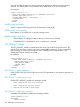
SET_PERSISTENT_BOOT
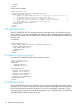
The SET_PERSISTENT_BOOT command takes one or more boot parameters and sets the normal
boot order. If you do not list every option, the remaining options are shifted toward the bottom of
the list. The specified user must have a valid iLO account to execute RIBCL commands. For this
command to parse correctly, the command must appear within a SERVER_INFO command block,
and SERVER_INFO MODE must be set to write.
116 RIBCL XML Scripting Language