
HP iLO 3 Scripting and Command Line Guide


GET_OA_INFO
The GET_OA_INFO command requests the Onboard Administrator information from the enclosure
where iLO 3 is located. For this command to parse correctly, the GET_OA_INFO command must
appear within a BLADESYSTEM_INFO command block, and BLADESYSTEM_INFO MODE can be
set to read or write.
For example:
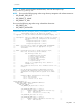
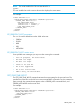
<RIBCL VERSION="2.0">
<LOGIN USER_LOGIN="adminname" PASSWORD="password">
<BLADESYSTEM_INFO MODE="read">
<GET_OA_INFO/>
</BLADESYSTEM_INFO>
</LOGIN>
</RIBCL>
GET_OA_INFO parameters
None
GET_OA_INFO runtime errors
None
GET_OA_INFO return messages
A possible GET_OA_INFO return message is:
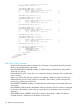
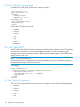
<GET_OA_INFO>
<ipAddress>192.168.1.105</ipAddress/>
<macAddress>00:22:44:55:33:77</macAddress/>
<System_Health>1</System_Health>
<uidStatus>On</uidStatus>
<RACK>South Park</RACK>
<ENCL>Kenny</ENCL>
<Location>7</Location>
</GET_OA_INFO>
SERVER_INFO
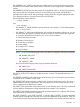
The SERVER_INFO command can only appear within a LOGIN command block. Only commands
that are SERVER_INFO type commands are valid inside the SERVER_INFO command block.
SERVER_INFO requires the MODE parameter with a value of read or write. MODE is a specific
string parameter with a maximum length of 10 characters that specifies what you intend to do with
the information.
Write mode enables both the reading and writing of iLO information. Read mode prevents
modification of iLO information.
For example:
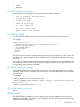
<SERVER_INFO MODE="read">
……… SERVER_INFO commands ………
</SERVER_INFO>
Reset server example:
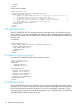
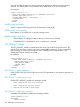
<RIBCL VERSION="2.0">
<LOGIN USER_LOGIN="adminname" PASSWORD="password">
<SERVER_INFO MODE="write">
<RESET_SERVER/>
</SERVER_INFO>
SERVER_INFO 115