
HP iLO 3 Scripting and Command Line Guide


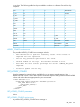
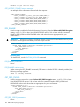
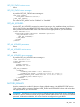
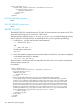

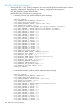


<RIBCL VERSION="2.0">
<LOGIN USER_LOGIN="adminname" PASSWORD="password">
<RIB_INFO MODE="write">
<FACTORY_DEFAULTS/>
</RIB_INFO>
</LOGIN>
</RIBCL>
FACTORY_DEFAULTS parameters
None
FACTORY_DEFAULTS runtime errors
None
IMPORT_SSH_KEY
The IMPORT_SSH_KEY command imports a SSH_KEY and associated iLO user name into iLO. This
command requires HPQLOCFG.EXE version 1.00 or later.
After generating an SSH key using ssh-keygen, puttygen.exe, or another SSH key generating
utility to produce a 1024 bit DSA key, and creating the key.pub file, perform the following:
1. Locate the key.pub file and insert the contents between
-----BEGIN SSH KEY----
and
-----END SSH KEY-----.
The file begins with the text:
ssh-dss .
2. At the end of the key, append a space and the name of a valid iLO 3 user name as displayed
on the Modify User page. For example:
xxx_some text_xxx ASmith.
The user name is case-sensitive and must match the case of the iLO 3 user name to associate the
SSH key with the correct user.
For example:
<RIBCL VERSION="2.0">
<LOGIN USER_LOGIN="adminname" PASSWORD="password">
<RIB_INFO MODE="write">
<IMPORT_SSH_KEY>
-----BEGIN SSH KEY-----
ssh-dss
ASampleKeyAAALftnNE12JR8T8XQqyzqc1tt6FLFRXLRM5PJpOf/IG4hN45
+x+JbaqkhH+aKqFjlfO1NjszHrFN26H1AhWOjY2bEwj2wlJzBMAhXwnPQelQsCnJDf+
zCzbDn+5Va86+qWxm0lsDEChvZPM6wpjkXvHwuInjxTzOGQTq++vmYlo1/AAAAFQC1M
FaZjE995QhX9H1DaDzpsVTXvwAAAIA6ec/hAkas2N762jtlHvSuvZaQRzu49DOtjXVI
pNdJAhTC8O2505PzkGLf5qhrbDnusclCvoH7DuxyHjeOUVxbC5wFQBcGF4VnpYZ8nGQ
Gt9TQ0iUV+NRwn4CR5ESoi63zTJIvKIYZDT2ISeXhF2iU6txjZzdeEm7vQz3slaY3dg
AAAIAQ46i6FBzJAYXziF/qmWMt4y6SlylOQDAsxPKk7rpxegv8RlTeon/aeL7ojb9GQ
2xnEN5gobaNZxKz2d4/jwg3+qgTDT6V1G+b7+nEI/XHIc717/7oqgiOv4VE3WxN+HE9
JWsv2jwUpAzRGqJOoojRG/CCru0K+jgTOf/di1o0sw== ASmith
-----END SSH KEY-----
</IMPORT_SSH_KEY>
</RIB_INFO>
</LOGIN>
</RIBCL>
106 RIBCL XML Scripting Language