
HP iLO 3 Scripting and Command Line Guide





GET_FIPS_STATUS runtime errors
None
GET_FIPS_STATUS return messages
A possible GET_FIPS_STATUS return message is:
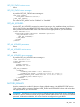
<GET_FIPS_STATUS>
<FIPS_MODE VALUE="Disabled"/>
</GET_FIPS_STATUS>
The value for FIPS_MODE can be “Enabled” or “Disabled”.
GET_ALL_LICENSES
Use the GET_ALL_LICENSES command to retrieve license type, key, installation date, and class in
iLO 3 v1.60 or later. Use HPQLOCFG.EXE version 1.00 or later with this command. Replace
USER_LOGIN and PASSWORD values with values that are appropriate for your environment.
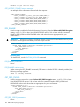
<RIBCL VERSION="2.0">
<LOGIN USER_LOGIN="adminname" PASSWORD="password">
<RIB_INFO MODE="read">
<GET_ALL_LICENSES/>
</RIB_INFO>
</LOGIN>
</RIBCL>
GET_ALL_LICENSES parameters
None
GET_ALL_LICENSES runtime errors
None
GET_ALL_LICENSES return messages
A possible GET_ALL_LICENSES return message is:
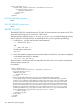
<?xml version="1.0"?>
<RIBCL VERSION="2.22">
<RESPONSE
STATUS="0x0000"
MESSAGE='No error'
/>
<GET_ALL_LICENSES>
<LICENSE>
<LICENSE_TYPE VALUE= "iLO 3 Advanced"/>
<LICENSE_KEY VALUE= "<advanced license key value>"/>
<LICENSE_INSTALL_DATE VALUE="Thu Mar 21 18:47:53 2013"/>
<LICENSE_CLASS VALUE="FQL"/>
</LICENSE>
</GET_ALL_LICENSES>
</RIBCL>
FACTORY_DEFAULTS
Use this command to set the iLO device to factory default settings. Use HPQLOCFG.EXE version
1.00 or later with this command. Replace USER_LOGIN and PASSWORD values with values that
are appropriate for your environment.
WARNING! Resetting an iLO device to factory defaults changes the the DNS name to the default,
and the iLO device can be accessed using only the default Administrator user account and default
password. Without these defaults, iLO access must be reconfigured using the RBSU.
RIB_INFO 105