
Configuring HP Integrated Lights-Out 3 with Microsoft Active Directory HOWTO

30
Configuring the Kerberos client with Firefox
To enable single sign-on with Firefox, complete the following sequence of steps. Setup for Firefox 3.5
and for Firefox 3.6 is similar.
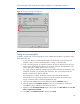
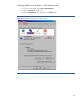
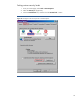
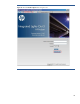
1. To open the browser configuration page, enter about:config in the space provided (Figure
23), and click the Open button.
Figure 23: Open the browser configuration page.
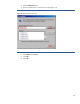
If the message “This might void your warranty!” appears, click the I’ll be careful, I promise!
button.
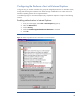
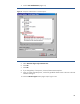
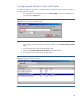
2. In the Filter field, enter network.negotiate (Figure 24).
3. Double-click network.negotiate-auth.trusted-uris to modify the value.
4. Enter the DNS name for the iLO ("ilo.example.net").
Figure 24: Configure trusted URLs in Firefox.