
Configuring HP Integrated Lights-Out 3 with Microsoft Active Directory HOWTO

28
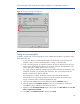
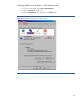
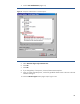
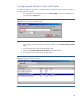
4. Scroll to User Authentication (Figure 21).
Figure 21: Verify User Authentication in Internet Explorer.
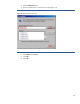
5. Select Automatic logon only in Intranet zone.
6. Click OK.
7. Click OK.
8. If you changed any of the options, close and restart Internet Explorer.
9. Once you restart Internet Explorer, use the fully qualified domain name to browse to the iLO
interface and sign in.
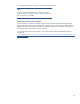
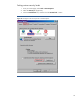
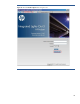
10. Click the HP Zero Sign In button (Figure 22) to logon to iLO.