
iLO 2 Scripting and Command Line Guide
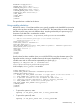
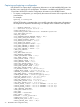
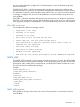

<VIRTUAL_MEDIA_PRIV value = "N"/>
<CONFIG_ILO_PRIV value = "N"/>
</ADD_USER>
</USER_INFO>
</LOGIN>
</RIBCL>
For security reasons, the default user administrator and user passwords are not captured in
the configuration file or returned in the response. A variable is provided in its place to use
with the substitute option to provide a default password for all users when restoring a
configuration. Manually change the password before using the file to restore the configuration.
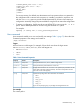
• To restore a configuration, the file must be sent to HPONCFG as input using the /f or -f
option. Add a default password for all users using the substitute or s option.
For example:
hponcfg /f config.xml /s user_password=password
User commands
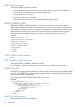
User commands enable you to view and modify user settings. Table 1 (page 73) shows the User
Command properties. User settings are located at:
/map1/accounts1.
Targets
All local users are valid targets. For example, if three local users have the login names
Administrator, admin, and test, then valid targets are:
• Administrator
• admin
• test
Table 1 User Command Properties
DescriptionAccessProperty
Corresponds to the iLO 2, iLO 3, andiLO 4 login name.read/writeusername
Corresponds to the password for the current user.read/writepassword
Displays the name of the user. If a name is not specified, the parameter uses the
same value as the login name (username). This value corresponds to the iLO
2iLO 3iLO 4 user name property.
read/writename
Specifies the privilege level. The valid values are as follows:read/writegroup
• admin
• config
• oemhp_power
• oemhp_rc
• oemhp_vm
If you do not specify a group, no privileges are assigned to the user.
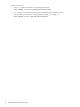
For example
The current path is:
HPONCFG utility 73