
iLO 2 Scripting and Command Line Guide
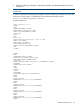
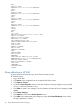
<NIC>
<PORT>5</PORT>
<MACADDR>9c:8e:99:13:20:ca</MACADDR>
</NIC>
<NIC>
<PORT>6</PORT>
<MACADDR>9c:8e:99:13:20:ce</MACADDR>
</NIC>
<NIC>
<PORT>7</PORT>
<MACADDR>9c:8e:99:13:20:cb</MACADDR>
</NIC>
<NIC>
<PORT>8</PORT>
<MACADDR>9c:8e:99:13:20:cf</MACADDR>
</NIC>
</NICS>
</HSI>
<MP>
<ST>1</ST>
<PN>Integrated Lights-Out 4 (iLO 4)</PN>
<FWRI>1.01</FWRI>
<BBLK>08/30/2011</BBLK>
<HWRI>ASIC: 16</HWRI>
<SN>ILOABC12345678</SN>
<UUID>ILOBL4608ABC12345678</UUID>
<IPM>1</IPM>
<SSO>0</SSO>
<PWRM>3.0</PWRM>
<ERS>0</ERS>
<EALERT>1</EALERT>
</MP>
<BLADESYSTEM>
<BAY>1</BAY>
<MANAGER>
<TYPE>Onboard Administrator</TYPE>
<MGMTIPADDR>123.456.78.90</MGMTIPADDR>
<RACK>TestRACK</RACK>
<ENCL>TestRACKEnc-C</ENCL>
<ST>2</ST>
</MANAGER>
</BLADESYSTEM>
</RIMP>
Query definition in HP SIM
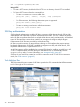
To group all of the iLO devices, log in to HP SIM and create a query.
To create the query:
1. Log in to HP SIM.
2. Click Device in the navigation bar on the top left side of the screen.
3. Click Queries→Device.
4. Locate the Personal Queries section in the main window. If a query category exists, proceed
to Step 8, otherwise proceed to Step 5.
5. Click New to create a new category. For this example, the name of the new category is RIB
Cards.
6. Click Create Category.
7. Click Queries to return to the Device Queries screen.
8. Click New in the appropriate query category to open the Create/Edit Query screen where
the query definition is created.
50 Group administration and iLO 2 scripting