
iLO 2 Scripting and Command Line Guide


5 Group administration and iLO 2 scripting
CPQLOCFG Utility
The CPQLOCFG.EXE utility is a Windows-based utility that connects to iLO using a secure connection
over the network. RIBCL scripts are passed to iLO over the secure connection to CPQLOCFG. This
utility requires a valid user ID and password with the appropriate privileges. Launch the CPQLOCFG
utility from HP SIM for Group Administration, or launch it independently from a command prompt
for batch processing.
Download this utility from the HP website at: http://h20000.www2.hp.com/bizsupport/
TechSupport/SoftwareDescription.jsp?lang=en&cc=US&swItem=MTX-UNITY-I16117&mode=4&
idx=1&prodTypeId=329290&prodSeriesId=397206.
Version 4.0 or later of CPQLOCFG is required to support all features of iLO 3 v1.20 and iLO 4
v1.05 and later.
HP SIM discovers iLO devices as management processors. CPQLOCFG sends a RIBCL file to a
group of iLO devices to manage the user accounts for those iLO devices. The iLO devices then
perform the action designated by the RIBCL file and send a response to the log file.
Use CPQLOCFG to execute RIBCL scripts on iLO. CPQLOCFG must reside on the same server as
HP SIM. CPQLOCFG generates two types of error messages; runtime errors, and syntax errors.
• Runtime errors occur when an invalid action is requested. Runtime errors are logged to the
following directory:
C:\PROGRAM FILES\INSIGHT MANAGER\HP\SYSTEMS
• Syntax errors occur when an invalid XML tag is encountered. When a syntax error occurs,
CPQLOCFG stops running and logs the error in the runtime script and output log file.
Syntax errors use the following format:
Syntax error: expected X but found Y.
For example:
Syntax error: expected USER_LOGIN=userlogin
but found USER_NAME=username
For a complete listing of errors, see “Using RIBCL” (page 75).
Unauthenticated XML query
If configured to do so, the iLO device returns identifying information in response to an
unauthenticated XML query. By default, the iLO device is configured to return this information. To
disable this feature, set the CIM_SECURITY_MASK in the MOD_SNMP_IM_SETTINGS command
to disable unauthenticated XML query return information.
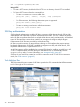
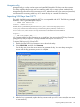
You can also disable the unauthenticated XML query information through the iLO webpage:
1. Go to Administration→Management.
The Management webpage appears.
2. Under the Insight Management Integration heading, click the menu for the Level of Data
Returned option.
There are two options in the menu:
• 1) Enabled (iLO+Server Association Data)
• 2) Disabled (No Response to Request)
48 Group administration and iLO 2 scripting