
iLO 2 Scripting and Command Line Guide
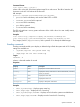
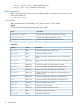
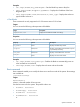
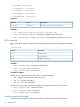
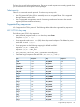

The cpu property is a target of /system1 and displays information about the system processor.
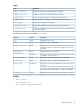
The following properties are available in /system1/cpu<n>:
DescriptionAccessProperty
Displays the processor speed.Read
speed
Displays the size of the processor
level-1 cache.
Read
cachememory1
Displays the size of the processor
level-2 cache.
Read
cachememory2
Displays the logical processor.Readlogical_processor<n>
CPU power state – Enables you to examine the CPU power states. CPU power state values are
shown as a part of the cpu target and use an additional property of logical_processor<n>.
Example:
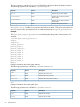
The show cpu1/logical_processor1 command displays the p-states of the processor: For
example:
/system1/cpu1/logical_processor1
Targets
Properties
current_pstate=1
pstate0_avg=0.0
pstate1_avg=100.0
pstate2_avg=0.0
pstate3_avg=0.0
pstate4_avg=0.0
pstate5_avg=0.0
pstate6_avg=0.0
pstate7_avg=0.0
Memory
Displays information about the system memory.
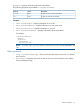
The following properties are available in /system1/memory<n>:
DescriptionAccessProperty
Displays the memory sizeRead
size
Displays the memory speedRead
speed
Displays the location of the memoryRead
location
Slot
Displays information about the system slots.
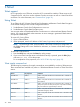
The following properties are available in /system1/slot<n>:
DescriptionAccessProperty
Displays the slot typeRead
type
Displays the slot widthRead
width
36 Command line