
iLO 2 Scripting and Command Line Guide

soft
iLO 2.00 CLI support
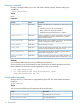
• power
The power command is used to change the power state of the server and is limited to users
with the Power and Reset privilege.
— power – Displays the current server power state
— power on – Turns the server on
— power off – Turns the server off
— power reset – Resets the server (server power off followed by server power on)
— power warm – Warm boots the server
Instead of using the simple commands, the following examples show the new CLP format:
◦ start /system1 – Turns the server on
◦ stop /system1 – Turns the server off
◦ reset /system1 – Resets the server
◦ reset /system1 hard – Performs a coldstart reboot of the server
◦ reset /system1 soft – Performs a warmstart reboot of the server
◦ show /system1 enabledstate – Shows the current power state, for which enabled
is powered on and disabled is powered off.
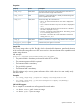
• vsp
The vsp command invokes a virtual serial port session. When in virtual serial port session,
press Esc( to return to the CLI.
Instead of using the simple commands, the following example shows the new CLP format:
start /system1/oemhp vsp1
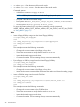
• textcons
The textcons command starts a Remote Console session and is limited to users with the
Remote Console privilege. Only a text-based remote console is supported, similar to a Telnet
session. When in Remote Console session, enter Esc( to return to the CLI.
Instead of using the simple commands, the following example shows the new CLP format:
start /system1/console1
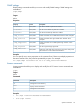
Firmware update
Firmware commands enable you to display and modify the iLO 2 firmware version. Firmware
settings are available at /map1/firmware1.
Targets
No targets
Properties
DescriptionAccessProperty
Displays the current firmware version.read
version
Displays the release date of the current firmware version.read
date
30 Command line