
iLO 2 Scripting and Command Line Guide
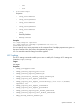
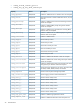
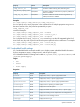
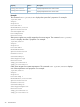
– exit
– show
• StaticIPSettings1
Properties
◦ oemhp_SRoute1Address
◦ oemhp_Gateway1Address
◦ oemhp_SRoute2Address
◦ oemhp_Gateway2Address
◦ oemhp_SRoute3Address
◦ oemhp_
Gateway3Address
◦ DHCPOptionToUse
Examples
set /map1/enetport1 speed=100
set /map1/enetport1/lanendpt1 ipv4address=192.168.0.13
subnetmask=255.255.252
You can specify one or more properties on the command line. If multiple properties are given on
the same command line, they must to be separated by a space.
iLO 2 is reset after network settings have been applied.
iLO 2 settings
The iLO 2 settings commands enable you to view or modify iLO 2 settings. iLO 2 settings are
located at /map1/config1.
Targets
No targets
Properties
• oemhp_rawvspport=3002
• oemhp_console_capture_port=17990
• oemhp_console_capture_enable=yes
• oemhp_interactive_console_replay_enable=yes
• oemhp_capture_auto_export_enable=no
• oemhp_capture_auto_export_location=http://192.168.1.1/folder/
capture%t.ilo
• oemhp_capture_auto_export_username=0
• oemhp_capture_auto_export_password=0
• oemhp_console_capture_boot_buffer_enable=no
• oemhp_console_capture_fault_buffer_enable=no
• emhp_shared_console_enable=yes
Specific commands 21