
iLO 2 Scripting and Command Line Guide
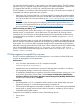

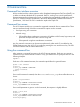
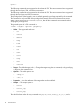
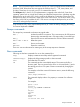

In the example, username corresponds to the login name.
• set lname1 username=lname2 password=password1 name=name2
group=admin,configure,oemhp_power,oemhp_vm,oemhp_rc
In the example, lname1 is the login name of the user.
HP SIM SSO settings
HP SIM SSO settings commands are accessed using /map1/oemhp_ssocfg1. You must have
the Configure iLO 2 Settings privilege to change these properties. SSO is only supported for browser
access from trusted HP SIM servers. SSO is a licensed feature. For more information, see the HP
Integrated Lights-Out 2 User Guide.
Targets
None
Properties
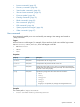
DescriptionAccessProperty
The Single Sign-On required trust level. Valid values are
disabled, all, name, and certificate.
Read/write
oemhp_ssotrust
The privileges associated with the user role. Valid values are
login, oemhp_rc, oemhp_power, oemhp_vm, config,
admin
Read/write
oemhp_ssouser
The privileges associated with the operator role. Valid values
are login, oemhp_rc, oemhp_power, oemhp_vm, config,
admin.
Read/write
oemhp_ssooperator
The privileges associated with the administrator role. Valid
values are login, oemhp_rc, oemhp_power, oemhp_vm,
config, admin.
Read/write
oemhp_ssoadministrator
Contains 0 or more HP SIM Trusted Server records. Each record
can contain a server name or a server certificate.
Read
oemhp_ssoserver
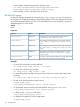
Examples
• To set the SSO trust level to trust by certificate:
set oemhp_ssocfg/ oemhp_ssotrust = certificate
• To assign user roles the login privilege:
set oemhp_ssocfg/ oemhp_ssouser = login
• To assign the operator role login, remote console, virtual power control, and virtual media
privileges:
set oemhp_ssocfg/ oemhp_ssooperator = login,oemhp_rc,oemhp_power,oemhp_vm
• To Add an HP SIM Trusted Server name record:
cd map1/oemhp_ssocfg
</map1/oemhp_ssocfg>hpiLO-> create = hpsim1.corp.net
• To dynamically import a certificate from the specified server (hpsim2.corp.net):
</map1/oemhp_ssocfg>hpiLO-> load = hpsim2.corp.net
• To delete oemhp_ssoserver with index 5.
</map1/oemhp_ssocfg>hpiLO-> delete = 5
• To display the complete iLO 2 SSO configuration:
cd map1/oemhp_ssocfg
18 Command line