
iLO 2 Scripting and Command Line Guide

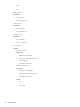
The first line of information returned by the show command is the current
context. In the example, / is the current context. Following the context is a
list of subtargets (Targets) and properties (Properties) applicable to the
current context. The verbs (Verbs) section shows which commands are
applicable to this context.
Specify the show command with an explicit or implicit context as well as
a specific property. For example, an explicit context is /map1/firmware1
and is not dependent on the current context, while an implicit context
assumes that the context specified is a child of the current context. If the
current context is /map1 then a show firmware command displays the
/map1/firmware1 data.
If you do not specify a property, then all properties are shown. In the case
of the /map1/firmware1 context, two properties are available: version,
and date. If you execute show /map1/firmware1 date, only the date
is shown.
create Creates a new instance of the MAP in the name space.
delete Removes instances of the MAP in the name space.
load Moves a binary image from a URL to the MAP.
reset Causes a target to cycle from enabled to disabled, and back to enabled.
set Sets a property or set of properties to a specific value, and resets iLO to
implement the changes.
start Causes a target to change the state to a higher run level.
stop Causes a target to change the state to a lower run level.
version The command queries the version of the CLP implementation or other CLP
elements.
For example:
hpiLO-> version
status=0
status_tag=COMMAND COMPLETED
SM-CLP Version 1.0
oemhp_ping The command determines if an IP address is reachable from the current
iLO session.
For example:
oemhp_ping 192.168.1.1
Where 192.168.1.1 is the IP address you are testing.
Specific commands
The following sections cover iLO 2 specific commands available when using the command line,
including:
• “User commands” (page 17)
• “HP SIM SSO settings” (page 18)
• “Network commands” (page 19)
• “iLO 2 settings” (page 21)
• “iLO 2 embedded health settings” (page 23)
• “SNMP settings” (page 25)
16 Command line