
iLO 2 Scripting and Command Line Guide


NOTE: If a CLP command spans more than one line, you cannot navigate between different lines.
Windows 2000 Telnet client does not support the Functions keys F1,.., F12, Insert, Home, and
End keys. These keys do not work in an iLO 2 command-line session.
The Backspace key in the iLO 2 CLP implementation is mapped to the value 0x8. Some client
operating systems such as, Novell Linux Desktop and Red Hat Enterprise Linux 4 Desktop map the
Backspace key to the value 0x7f, which is used for the Delete key in Windows Telnet client. The
Backspace key does not work from a client where it has value of 0x7f. For the Linux clients, using
the Home or the End key enables the iLO 2 CLP service to remap the Backspace key to use the
value 0x7f, making the key functional.
In the Windows PuTTy client, map the Backspace key to a value of 0x8 by changing the setting
for Terminal Keyboard to Ctrl+H.
Escape commands
The escape key commands are shortcuts to popular tasks.
ESC ( Invokes the serial CLI connection. This is not necessary for SSH sessions
because they automatically start a CLI session after a successful login.
ESC Q Stops the CLI session and terminates the SSH and Telnet connection.
ESC R ESC r ESC R Resets the system.
ESC ^ Powers on the system.
ESC ESC Erases the current line.
There is a one second timeout for entering any of the escape sequence characters.
Base commands
Following are the base commands for use on the command line:
help Displays context-sensitive help and all supported commands
command help/? Displays the help message specific to that command
exit Terminates the CLP session
cd The command sets the current default target. The context works like a
directory path. The root context for the server is a forward slash (/) and is
the starting point for a CLP system. Shorten commands by changing the
context.
For example, to find the current iLO firmware version, enter the following
command:
show /map1/firmware1
show The command displays values of a property or contents of a collection
target.
For example:
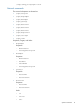
hpiLO-> show
status=0
status_tag=COMMAND COMPLETED
/
Targets
system1
map1
Properties
Verbs
cd version exit show
Escape commands 15