
iLO 2 Scripting and Command Line Guide
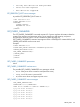
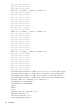
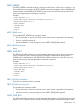
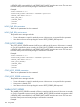
GET_PERSISTENT_BOOT parameters
There are no parameters for this command.
GET_PERSISTENT_BOOT runtime errors
None
GET_PERSISTENT_BOOT return messages
The return message displays the current boot order settings.
A possible GET_PERSISTENT_BOOT return is:
<?xml version="1.0"?>
<RIBCL VERSION="2.22">
<RESPONSE
STATUS="0x0000"
MESSAGE='No error'
/>
<GET_PERSISTENT_BOOT
CDROM = "1" FLOPPY = "2" HDD = "3" USB = "4" NETWORK = "5"
/>
</RIBCL>
SET_PERSISTENT_BOOT
The SET_PERSISTENT_BOOT command reconfigures the boot order to the order specified in the
xml. This command must appear within a SERVER_INFO element, and SERVER_INFO must be set
to write. At least one parameter in the command is mandatory.
Example:
<RIBCL VERSION="2.0">
<LOGIN USER_LOGIN="adminname" PASSWORD="password">
<SERVER_INFO MODE="write">
<SET_PERSISTENT_BOOT>
<DEVICE value = "CDROM" />
<DEVICE value = "FLOPPY" />
<DEVICE value = "HDD" />
<DEVICE value = "USB" />
<DEVICE value = "NETWORK" />
</SET_PERSISTENT_BOOT>
</SERVER_INFO>
</LOGIN>
</RIBCL>
SET_PERSISTENT_BOOT parameters
The command takes one or more boot devices as the parameter DEVICE. The possible values are
CDROM, FLOPPY, HDD, USB, or NETWORK. If no device is specified the script fails. The devices
has to be specified in the order you want to set the boot order. If you do not list every option, the
remaining options are shifted to the bottom of the list.
SET_PERSISTENT_BOOT runtime errors
The possible runtime errors are:
• Server info is open for read-only access. Write access is required
for this operation.
• User does not have correct privilege for action. RESET_SERVER_PRIV
required.
• An invalid device option has been given.
144 Using RIBCL