
iLO 2 Scripting and Command Line Guide
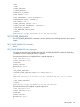
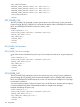
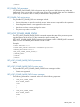
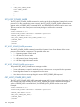
</RIBCL>
SET_POWER_CAP parameters
SET_POWER_CAP POWER_CAP is the power cap on the server. Valid power cap values are
determined using a power test run on the server at boot. The possible values are 0 to disable the
power cap, or a numeric value in watts (as determined in the power test.)
SET_POWER_CAP runtime errors
The possible SET_POWER_CAP error messages include:
• Server information is open for read-only access. Write access is required for this operation.
• Power Regulator feature is not supported on this server.
• User does not have correct privilege for action.
• The power cap value is invalid.
GET_HOST_POWER_SAVER_STATUS
The GET_HOST_POWER_SAVER_STATUS command requests the state of the processor power
regulator feature of the server. For this command to parse correctly, the
GET_HOST_POWER_SAVER_STATUS command must appear within a SERVER_INFO command
block. You can set SERVER_INFO MODE to read or write.
Example:
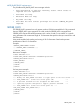
<RIBCL VERSION="2.0">
<LOGIN USER_LOGIN="adminname" PASSWORD="password">
<SERVER_INFO MODE="write">
<GET_HOST_POWER_SAVER_STATUS/>
</SERVER_INFO>
</LOGIN>
</RIBCL>
GET_HOST_POWER_SAVER_STATUS parameters
None
GET_HOST_POWER_SAVER_STATUS runtime errors
The possible GET_HOST_POWER_SAVER_STATUS error messages include:
• Feature not supported
GET_HOST_POWER_SAVER_STATUS return messages
The following information is returned within one of the following responses:
• <GET_HOST_POWER_SAVER
HOST POWER_SAVER=
"OFF"
/
>
• <GET_HOST_POWER_SAVER
HOST POWER_SAVER=
"MIN"
/
SERVER_INFO 137