
iLO 2 Scripting and Command Line Guide
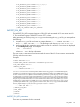
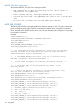
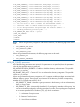
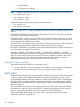
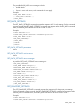
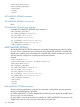
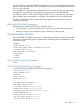
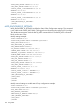
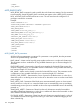

<DIR_USER_CONTEXT_7 value="CN=Users7,DC=mycompu, DC=com"/>
<DIR_USER_CONTEXT_8 value="CN=Users8,DC=mycompu, DC=com"/>
<DIR_USER_CONTEXT_9 value="CN=Users9,DC=mycompu, DC=com"/>
<DIR_USER_CONTEXT_10 value="CN=Users10,DC=mycompu, DC=com"/>
<DIR_USER_CONTEXT_11 value="CN=Users11,DC=mycompu, DC=com"/>
<DIR_USER_CONTEXT_12 value="CN=Users12,DC=mycompu, DC=com"/>
<DIR_USER_CONTEXT_13 value="CN=Users13,DC=mycompu, DC=com"/>
<DIR_USER_CONTEXT_14 value="CN=Users14,DC=mycompu, DC=com"/>
<DIR_USER_CONTEXT_15 value="CN=Users15,DC=mycompu, DC=com"/>
<!-- Set the value to "NO" to enable the HP Extended Schema -->
<!-- and Value "YES" to enable Default Directory Login. -->
<!-- To set Group Accounts and privileges for Default Schema -->
<!-- run Mod_Schemaless_Directory.xml. -->
<DIR_ENABLE_GRP_ACCT value = "yes"/>
</MOD_DIR_CONFIG>
</DIR_INFO>
</LOGIN>
</RIBCL>
NOTE: When using directory integration with schema extension, the following tags must not be
used:
• DIR_ENABLE_GRP_ACCT
• DIR_GRPACCT1_NAME
• DIR_GRPACCT1_PRIV
When using schema-free directories, the following tags must not be used:
• DIR_OBJECT_DN
• DIR_OBJECT_PASSWORD
MOD_DIR_CONFIG parameters
All of the following parameters are optional. If a parameter is not specified, then the parameter
value for the specified setting is preserved.
DIR_AUTHENTICATION_ENABLED – Enables or disables directory authentication. The possible
values are yes and No.
DIR_ENABLE_GRP_ACCT – Causes iLO 2 to use schema-less directory integration. The possible
values are yes and No.
When using schema-free directory integration, iLO 2 supports variable privileges associated with
different directory groups. These groups are contained in the directory, and the corresponding
member iLO 2 privileges are stored in iLO 2.
• DIR_GRPACCT1_NAME – Identifies a group container in the directory, such as Administrators,
Users, or Power Users.
• DIR_GRPACCT1_PRIV – Numerically identifies iLO 2 privileges for members of the group. You
can mix and match privileges by including more than one value. These privileges are expressed
as a comma separated list of numbers (1,2,3,4,5) which correlate to:
◦ 1 – Administer Group Accounts
◦ 2 – Remote Console Access
◦ 3 – Virtual Power and Reset
DIR_INFO 123