
iLO 2 Scripting and Command Line Guide
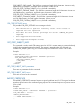
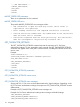
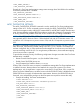
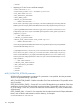
CSR_SUBJECT_ORG_NAME – This field has a maximum length of 60 characters. It must use only
alphanumeric, punctuation, and blank space characters. When you set
CSR_USE_CERT_CUSTOM_SUBJECT to Yes, this field is mandatory.
CSR_SUBJECT_ORGUNIT_NAME – This field has a maximum length of 60 characters. It must use
only alphanumeric, punctuation, and blank space characters. When you set
CSR_USE_CERT_CUSTOM_SUBJECT to Yes, this field is mandatory.
CSR_SUBJECT_COMMON_NAME – This field has a maximum length of 60 characters. It must
use only alphanumeric, dot and hyphen characters. When you set
CSR_USE_CERT_CUSTOM_SUBJECT to Yes, this field is mandatory.
CSR_CERT_SETTINGS errors
The possible CSR_CERT_SETTINGS error messages include:
• RIB information is open for read-only access. Write access is
required for this operation.
• User does not have correct privilege for action. CONFIG_ILO_PRIV
required.
• User supplied invalid fields.
• User supplied incomplete fields.
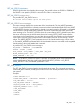
GET_CERT_SUBJECT_INFO
This command is used to read CSR settings stored in iLO2. If a custom setting is preserved already
in iLO2, this command retrieves the details. The request is returned to the user enclosed in a
CERTIFICATE_SUBJECT_INFO tag. This command requires CPQLOCFG version 2.26 or later.
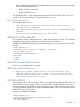
Example:
<RIBCL VERSION="2.0">
<LOGIN USER_LOGIN="adminname" PASSWORD="password">
<RIB_INFO MODE="read">
<GET_CERT_SUBJECT_INFO/>
</RIB_INFO>
</LOGIN>
</RIBCL>
GET_CERT_SUBJECT_INFO parameters
There are no parameters for this command.
GET_CERT_SUBJECT_INFO errors
There are no errors for this command.
IMPORT_CERTIFICATE
The IMPORT_CERTIFICATE command imports a signed certificate into iLO 2. The signed certificate
must be a signed version of a certificate signing request. This command requires CPQLOCFG version
2.26 or later.
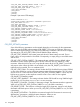
Example:
<RIBCL VERSION="2.0">
<LOGIN USER_LOGIN = "adminname" PASSWORD = "password">
<RIB_INFO MODE = "write">
<IMPORT_CERTIFICATE>
-----BEGIN CERTIFICATE-----
….
RIB_INFO 115