
HP Integrated Lights-Out 2 Management Processor Scripting and Command Line Resource Guide
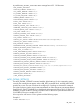
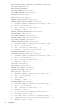
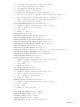
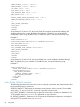
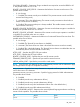
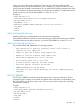
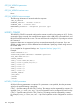
WEB_AGENT_IP_ADDRESS – The address for the Web-enabled agents. The value for this element
has a maximum length of 50 characters. It can be any valid IP address. If an empty string is entered,
the current value is deleted.
SNMP_ADDRESS_1, SNMP_ADDRESS_2, and SNMP_ADDRESS_3 – The addresses that receive
traps sent to the user. Each of these parameters can be any valid IP address and has a maximum
value of 50 characters.
OS_TRAPS – Determines if the user must receive SNMP traps that are generated by the operating
system. The possible values are Yesand No. By default, the value is set to No.
RIB_TRAPS – Determines if the user must receive SNMP traps that are generated by the RIB. The
possible values are Yes and No. By default, the value is set to No.
SNMP_PASSTHROUGH_STATUS – Determines if iLO can receive/ send SNMP request from/ to
the host OS. By default, the value is set to Yes.
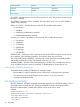
CIM_SECURITY_MASK – Accepts an integer between 0 and 4. The possible values are:
• 0 – No change
• 1 – None (No data is returned.)
• 2 – Low (Name and status data are returned. Associations are present if SNMP pass-through
is supported. If not, the server and management processor are separate entities in the device
list.)
• 3 – Medium (iLO 2 and server associations are present but the summary page contains less
detail than at high security.)
• 4 – High (Associations are present and all data is present on the summary page.)
Each value indicates the level of data returned over the HTTP port.
MOD_SNMP_IM_SETTINGS runtime errors
The possible MOD_SNMP_IM_SETTINGS error messages include:
• RIB information is open for read-only access. Write access is required for this operation.
• User does not have correct privilege for action. CONFIG_ILO_PRIV required.
UPDATE_RIB_FIRMWARE
The UPDATE_RIB_FIRMWARE command copies a specified file to iLO 2, starts the upgrade process,
and reboots the board after the image has been successfully flashed. For this command to parse
correctly, the command must appear within a RIB_INFO command block, and RIB_INFO MODE
must be set to write. The user must have the configure iLO 2 privilege to execute this command.
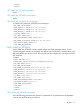
Example 1:
<RIBCL VERSION="2.0">
<LOGIN USER_LOGIN="adminname" PASSWORD="password">
<RIB_INFO MODE="write">
<!-- Firmware support information for next tag:-->
<!-- iLO 2 - 1.70 and later. For servers with TPM enabled.-->
<!-- iLO - None -->
<!-- Riloe II - None -->
<TPM_ENABLED VALUE="Yes"/>
<UPDATE_RIB_FIRMWARE IMAGE_LOCATION="C:\firmware.bin"/>
</RIB_INFO>
</LOGIN>
</RIBCL>
98 Using RIBCL