
HP Integrated Lights-Out 2 Management Processor Scripting and Command Line Resource Guide
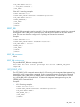
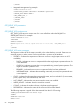
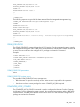
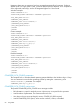
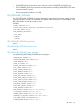
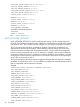
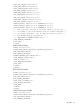
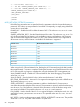
Uppercase letters are not supported, and are converted automatically to lowercase. If either a
double quote or a single quote is used, it must be different from the delimiter. For a complete list
of the supported custom keys, see the HP Integrated Lights-Out 2 User Guide.
Windows example:
<RIBCL VERSION="2.0">
<LOGIN USER_LOGIN="adminname" PASSWORD="password">
<RIB_INFO_MODE="write">
<COMPUTER_LOCK_CONFIG>
<COMPUTER_LOCK value="windows"/>
</COMPUTER_LOCK_CONFIG>
</RIB_INFO_MODE="write">
</LOGIN>
</RIBCL>
Custom example:
<RIBCL VERSION="2.0">
<LOGIN USER_LOGIN="adminname" PASSWORD="password">
<RIB_INFO_MODE="write">
<COMPUTER_LOCK_CONFIG>
<COMPUTER_LOCK value="custom"/>
<COMPUTER_LOCK key="l_gui,l"/>
</COMPUTER_LOCK_CONFIG>
</RIB_INFO_MODE="write">
</LOGIN>
</RIBCL>
Disabled example:
<RIBCL VERSION="2.0">
<LOGIN USER_LOGIN="adminname" PASSWORD="password">
<RIB_INFO_MODE="write">
<COMPUTER_LOCK_CONFIG>
<COMPUTER_LOCK value="disabled"/>
</COMPUTER_LOCK_CONFIG>
</RIB_INFO_MODE="write">
</LOGIN>
</RIBCL>
COMPUTER_LOCK_CONFIG parameters
The computer lock on Windows-based operating systems defaults to the Windows logo + L keys.
You can customize Linux and other operating systems by setting the <COMPUTER_LOCK
value="custom"/> parameter. For example:
<COMPUTER_LOCK key="l_gui,l"/>
COMPUTER_LOCK_CONFIG runtime errors
The possible COMPUTER_LOCK_CONFIG error messages include:
• RIB information is open for read-only access. Write access is required for this operation.
• Invalid number of parameters. The maximum allowed is five.
• User does not have correct privilege for action. CONFIG_ILO_PRIV required.
• Invalid COMPUTER_LOCK option; value must be windows, custom, or disabled.
84 Using RIBCL