
HP Integrated Lights-Out 2 Management Processor Scripting and Command Line Resource Guide
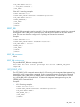
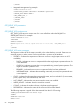
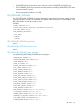
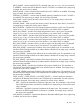
LAST_UPDATE="04/04/2004 12:34"
INITIAL_UPDATE="04/04/2004 12:34"
COUNT="1"
DESCRIPTION="Server reset."
/>
...
</EVENT_LOG>
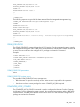
The following response is typical of the data returned from the Integrated Management Log:
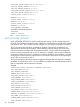
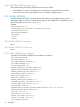
<EVENT_LOG DESCRIPTION="Integrated Management Log">
<EVENT
SEVERITY="Caution"
CLASS="POST Message"
LAST_UPDATE="04/04/2004 12:34"
INITIAL_UPDATE="04/04/2004 12:34"
COUNT="1"
DESCRIPTION="POST Error: 1775-Drive Array - ProLiant Storage System not Responding"
/>
...
</EVENT_LOG>
CLEAR_EVENTLOG
The CLEAR_EVENTLOG command clears the iLO 2 Event Log. For this command to parse correctly,
the command must appear within a RIB_INFO command block, and RIB_INFO MODE must be set
to write. The user must have the configure iLO 2 privilege to execute this command.
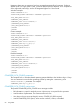
Example:
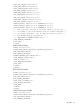
<RIBCL VERSION="2.0">
<LOGIN USER_LOGIN="adminname" PASSWORD="password">
<RIB_INFO MODE="write">
<CLEAR_EVENTLOG/>
</RIB_INFO>
</LOGIN>
</RIBCL>
CLEAR_EVENTLOG parameters
None
CLEAR_EVENTLOG runtime errors
The possible CLEAR_EVENTLOG error messages are:
• RIB information is open for read-only access. Write access is required for this operation.
• User does not have correct privilege for action. CONFIG_ILO_PRIV required.
COMPUTER_LOCK_CONFIG
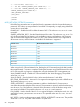
The COMPUTER_LOCK_CONFIG command is used to configure the Remote Console Computer
Lock feature. For this command to parse correctly, the command must appear within a RIB_INFO
command block, and RIB_INFO MODE must be set to write. You must have the Configure iLO 2
privilege to execute this command.
RIB_INFO 83