
HP Integrated Lights-Out 2 Management Processor Scripting and Command Line Resource Guide
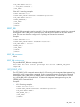
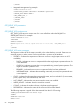
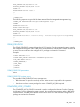
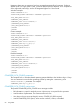
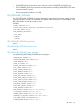
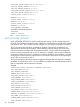
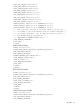
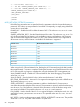
</RIBCL>
• Integrated Management log example:
<RIBCL version="2.21">
<LOGIN USER_LOGIN="adminname" PASSWORD="password">
<SERVER_INFO MODE="READ">
<GET_EVENT_LOG />
</SERVER_INFO>
</LOGIN>
</RIBCL>
GET_EVENT_LOG parameters
None
GET_EVENT_LOG runtime errors
GET_EVENT_LOG returns a runtime error if it is not called from within the RIB_INFO or
SERVER_INFO block. For example:
<RIBCL VERSION="2.21">
<RESPONSE
STATUS="0x0001"
MESSAGE='Syntax error: Line #3: syntax error near ">" in the line: " GET_EVENT_LOG >"'
/>
</RIBCL>
GET_EVENT_LOG return messages
The response includes all of the events recorded, in the order that they occurred. Events are not
sorted by severity or other criteria. Each event includes a common set of attributes:
• SEVERITY – Indicates the importance of the error and how it might impact server or iLO 2
availability.
◦ FAILED – Iindicates an issue or component failure that might impact operational time if it
is not addressed.
◦ CAUTION – Indicates an event that is not expected during normal system operation. This
might not indicate a platform issue.
◦ REPAIRED – Indicates that an event or component failure has been addressed.
◦ INFORMATIONAL – Indicates that something noteworthy occurred, but operational time
is not impacted.
• CLASS – Indicates the subsystem that generated the event, and can include iLO 2, environment,
power, system error, rack infrastructure, and more.
• LAST_UPDATE – Indicates the most recent time this event was modified.
• INITIAL_UPDATE – Indicates when this event first occurred.
• COUNT – Indicates the number of times a duplicate event happened.
• DESCRIPTION – Indicates the nature of the event and all recorded details.
The following response is typical of the data returned from the iLO 2 Event Log:
<EVENT_LOG DESCRIPTION="iLO Event Log">
<EVENT
SEVERITY="Caution"
CLASS="iLO"
82 Using RIBCL